 Miscellaneous
 Gameplay
 Quality of Life
WaterDepthGauge
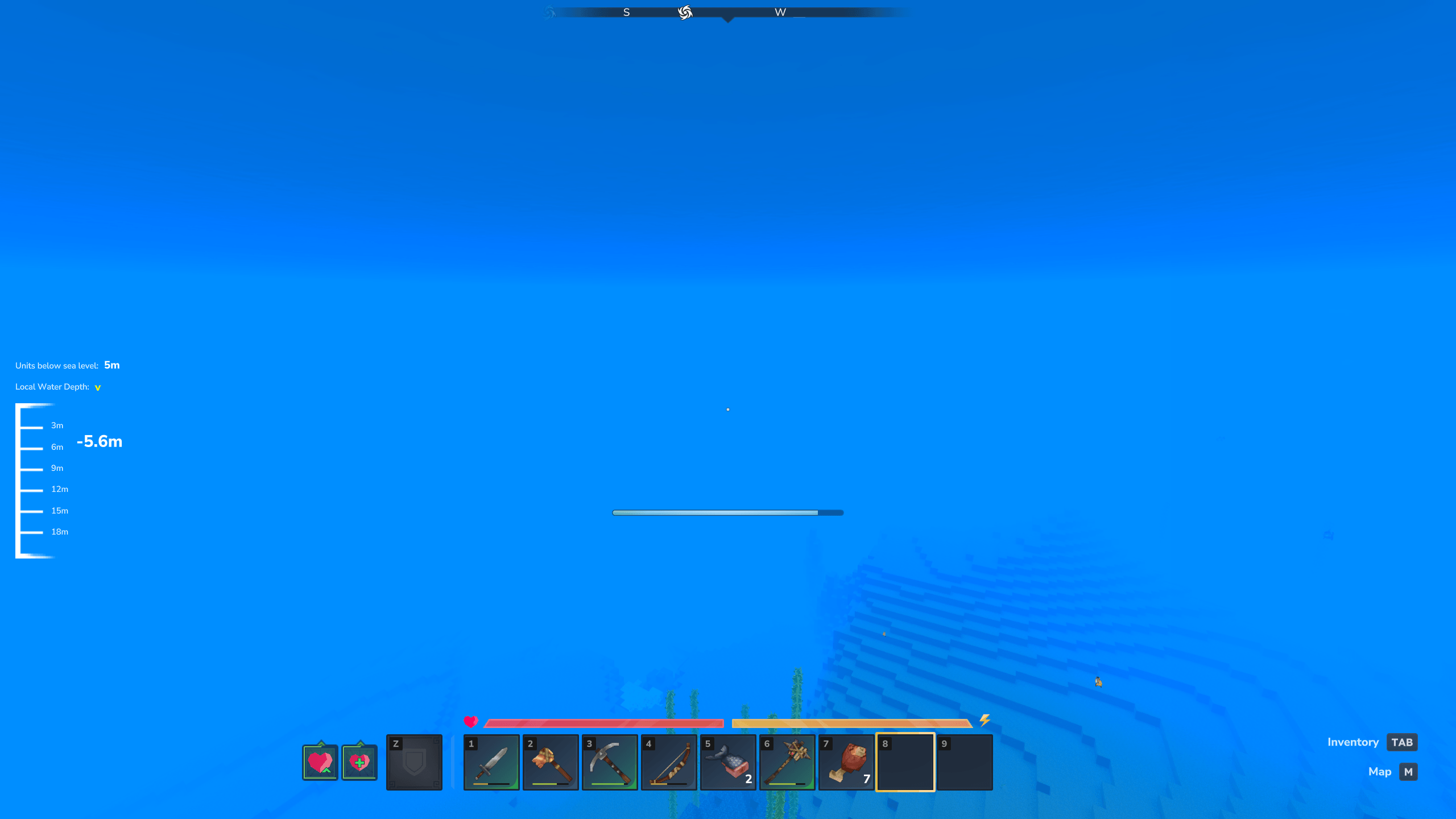
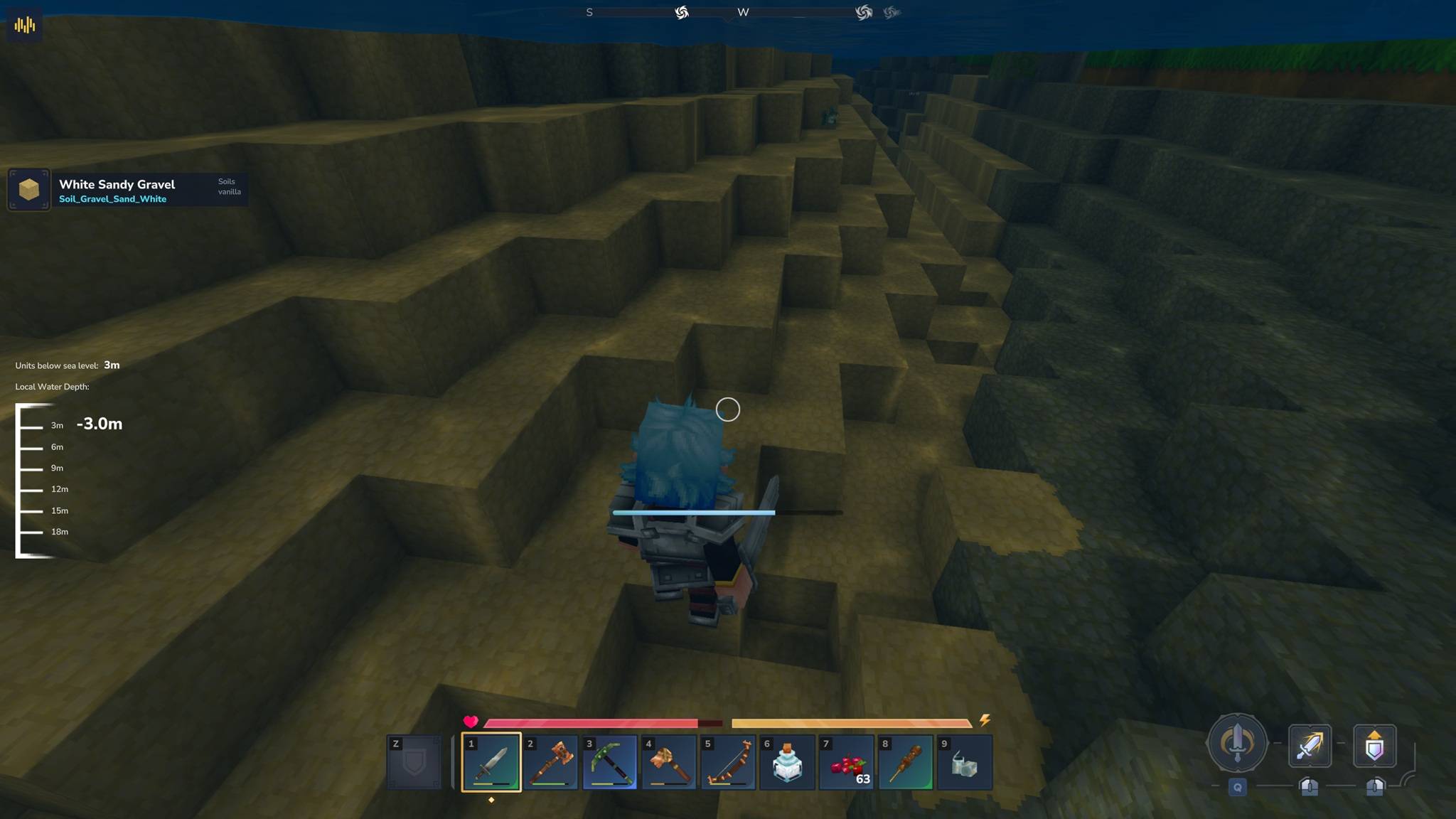
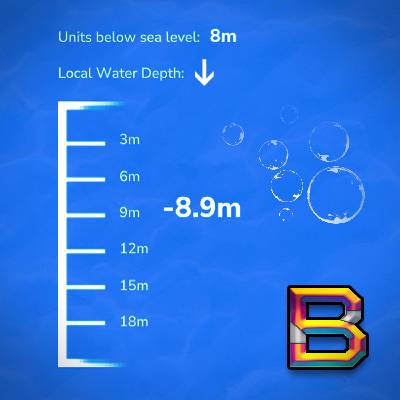
A Hytale plugin that displays a real-time depth gauge when underwater, showing both local water depth and depth relative to sea level.
Features
- Real-time depth tracking - Shows depth in meters below the water surface
- Sea level reference - Optional display of depth relative to Y=115 (sea level)
- Direction indicators - Up/down arrows show if you're ascending or descending
- Dynamic gauge - Automatically adjusts range as you dive deeper (0-20m, 20-40m, etc.)
- Smooth animations - Gauge updates in real-time with 500ms refresh rate
- Configurable display - Toggle between whole numbers and decimal precision
- Per-player settings - Each player has independent preferences that persist across sessions
- Cross-mod compatible - Works with ALL MultipleHUD-compatible mods (Blocchio, BlockInfo, EyeSpyHUD, etc.)
Requirements
- Java: 21 or 25
- Hytale: Early Access (January 2026 or later)
- Dependencies: MultipleHUD v1.0.1 or higher
Installation
- Download the latest release: WaterDepthGauge-1.0.4.jar
- Place the JAR in:
%AppData%\Roaming\Hytale\UserData\Mods\ - Ensure MultipleHUD is also installed
- Start your server and join the game
Usage
The depth gauge automatically appears when you submerge underwater (≥0.5m depth) and disappears when you surface.
Commands
All settings are saved per-player (each player has their own preferences).
/wdepth- Show your current settings/wdepth help- Show command list and usage/wdepth on- Enable depth gauge (default)/wdepth off- Disable depth gauge/wdepth sea <on|off>- Toggle sea level display/wdepth decimal <on|off>- Toggle decimal precision (e.g., 5.3m vs 5m)/wdepth credits- Show plugin credits
Settings Storage
Your personal settings are saved per-player to disk. Each player has independent preferences that persist across sessions.
Settings file location:
C:\Users\[USERNAME]\AppData\Roaming\Hytale\UserData\Saves\[WORLD_NAME]\mods\BeyondSmash_WaterDepthGauge\player_settings.json
To access: Press Win+R, then paste: %AppData%\Hytale\UserData\Saves\[WORLD_NAME]\mods\BeyondSmash_WaterDepthGauge
How It Works
- Local Depth: Measured from water entry point (resets each time you enter water)
- Sea Level Depth: Measured from Y=115 (Hytale's sea level)
- Gauge Range: Dynamically adjusts in 20m increments (0-20m, 20-40m, 40-60m, etc.)
- Color Coding: Markers turn pale orange at 5m intervals (5m, 10m, 15m, etc.)
- Direction Arrow: Yellow arrow shows ascending (^) or descending (v) movement
v1.0.4 Update - Per-Player Settings Persistence
This version adds per-player settings that persist to disk:
- Settings survive server restarts - No more reconfiguring every time you join
- Per-player preferences - Each player has independent settings
- New commands -
/wdepth helpfor command reference,/wdepth sea <on|off>,/wdepth decimal <on|off> - Complete documentation - All commands now properly documented
See CHANGELOG.md for full details.
Building from Source
git clone https://github.com/BeyondSmash/WaterDepthGauge.git
cd WaterDepthGauge
./gradlew shadowJar
Output: build/libs/WaterDepthGauge-1.0.4.jar
Support
- Issues: https://github.com/BeyondSmash/WaterDepthGauge/issues
- Releases: https://github.com/BeyondSmash/WaterDepthGauge/releases
License
This project is open source. See the repository for license details.
Credits
Created by BeyondSmash
Built with MultipleHUD by Buuz135