
 World Gen
 Quality of Life
 Utility
🌍 ReChunk (Hytale World Management)
Note: Formerly known as "The Chunker". ReChunk is now a complete suite containing both an in-game Mod and an External Tool.




The ultimate solution to safely reset old terrain in Hytale to generate new updates (like the Zone 4 Underground Jungle) without losing your base.

📖 The Problem
Hytale updates often bring new biomes, mobs (like the Cave Rex), and structures. However, if you have already explored your world, new content won't load in existing chunks. To see the new features, players usually have to start a new world or travel thousands of blocks away.
🛠 The Solution: ReChunk Suite
ReChunk calculates exactly which "Region Files" contain your bases and deletes everything else around them. This forces the game to re-generate the terrain with new update features while keeping your buildings safe.
We now offer two ways to manage your world:
🤔 Which one should I use?
| Feature | 🧩 ReChunk Mod (Recommended) | 🛠️ External Tool (Classic) |
|---|---|---|
| Best for... | Real-time protection, precision. | Mass wiping, huge maps, offline maintenance. |
| Interface | In-Game GUI & Chat. | Desktop Window (GUI). |
| Requirement | Server must be ONLINE. | Server must be OFFLINE. |
| OS | Any (Runs on Hytale Server). | Windows & Linux. |
| Key Feature | Visual selection & instant protection. | Fast processing of large files. |
🧩 Option 1: ReChunk Mod (Server Plugin)
The new, integrated way to protect your builds while you play.
Features
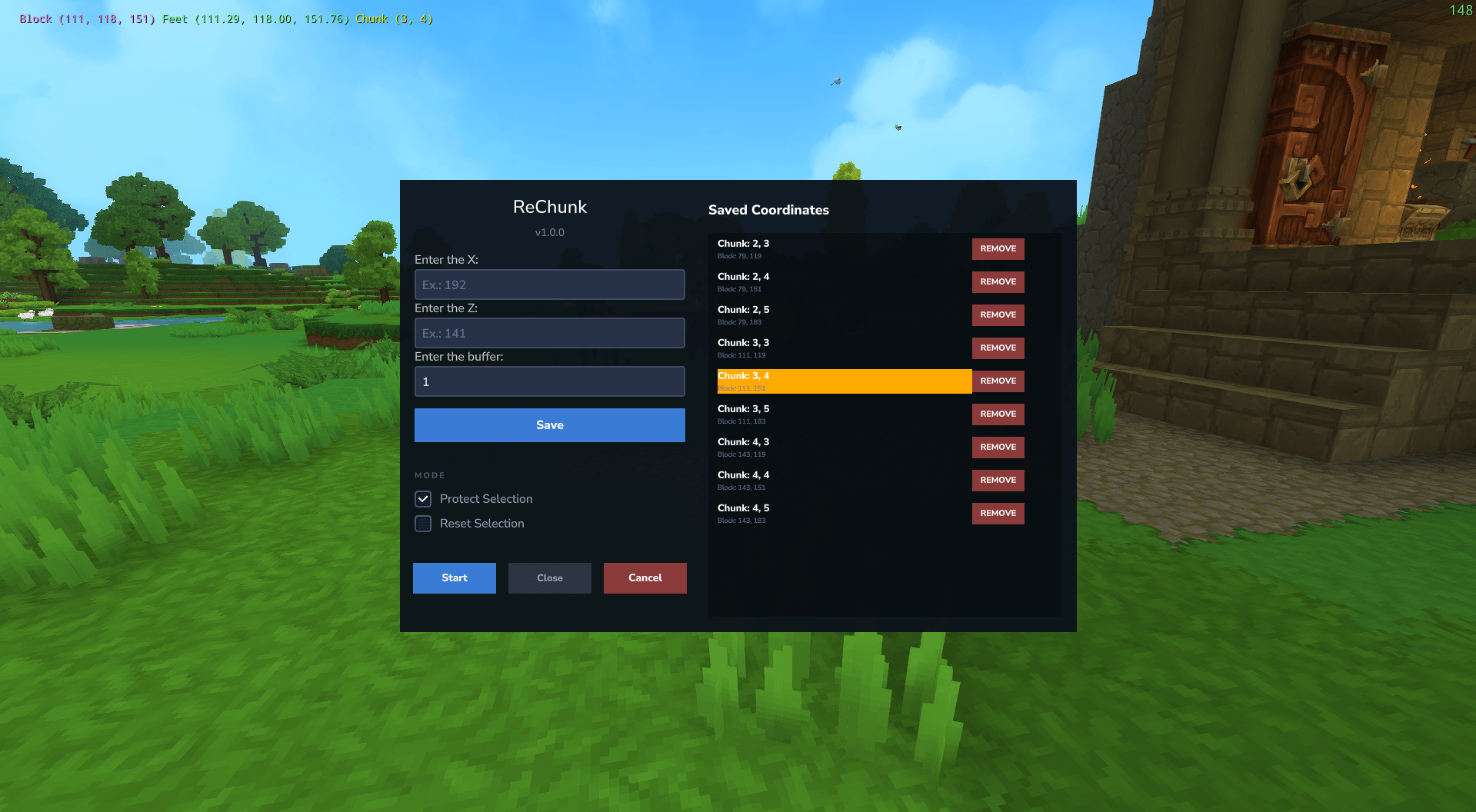
- In-Game GUI: No need to alt-tab. Manage everything from inside Hytale.
- Precise Control: Stand on a chunk and protect it instantly.
- Safe Reset: Resets surrounding areas without needing to close the server.
- Smart Buffer: Define a radius (buffer) to ensure your building corners aren't cut off.
🚀 How to Use (Mod)
- Backup your save folder manually.
- Install: Drop the
.jarfile into your server'smodsmfolder and restart. - Permissions: You must be an Operator (OP). Run
/op selfin the server console. - Command: Type
/rechunkin chat. - Configure:
- Enter the coordinates (Press
F7to see them or use the map). - Set the Buffer Radius.
- Click Protect (Whitelist) or Reset (Prune).
- Enter the coordinates (Press
🛠️ Option 2: ReChunk Tool (External App)
The classic desktop experience. Best for heavy-duty map cleaning.
Features
- Multi-Base Support: Protect your main house, village, and outposts simultaneously.
- Simulation Mode: Dry-run to see exactly what will happen before deleting files.
- Auto-Backup: Automatically zips region files before deletion.
- Cross-Platform: Standalone
.exefor Windows and Python source for Linux.
🚀 How to Use (Tool)
- Backup your save folder manually.
- Download the executable from the Releases Page.
- Run the tool (
ReChunk.exeon Windows). - Select your World and add your base coordinates.
- Set Radius: Default is
1(Keeps your region + 1 neighbor region buffer). - Execute: Run a Simulation first, then uncheck "Simulation" to apply changes.
💻 For Developers (Source Code)
This repository is a monorepo containing both projects:
- Clone the repo:
git clone [https://github.com/renancmd/ReChunk.git](https://github.com/renancmd/ReChunk.git)
cd ReChunk
📂 Structure
/external-tool- Python source code for the Desktop App./server-plugin- Java source code for the Hytale Mod.
Building the Mod (Java)
cd server-plugin
./gradlew build
# The compiled .jar will be in /build/libs

### Building the tool (Python)
cd external-tool
pip install pyinstaller
# Build standalone exe:
pyinstaller --noconsole --onefile --icon="icon.ico" gui.py --name "ReChunkTool"
⚠️ Disclaimer
This tool modifies/deletes files from your save directory. While it includes backup features, the author is not responsible for any data loss. Always make a manual copy of your Saves folder before editing world files.
📄 License
This project is licensed under the GNU GPLv3 License.
Created by Teyuz/Renan
