 Furniture
 Quality of Life
 Utility
 Blocks
QuickSigns
A Hytale plugin that adds customizable floating text to signs with an intuitive editing interface.
Features
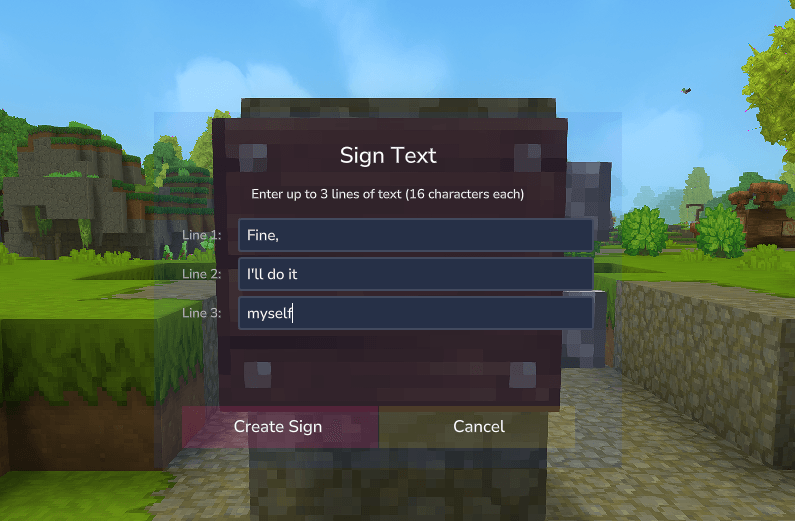
- Custom UI for Sign Text - When you place a sign, a UI automatically opens allowing you to enter up to 3 lines of text (16 characters per line)
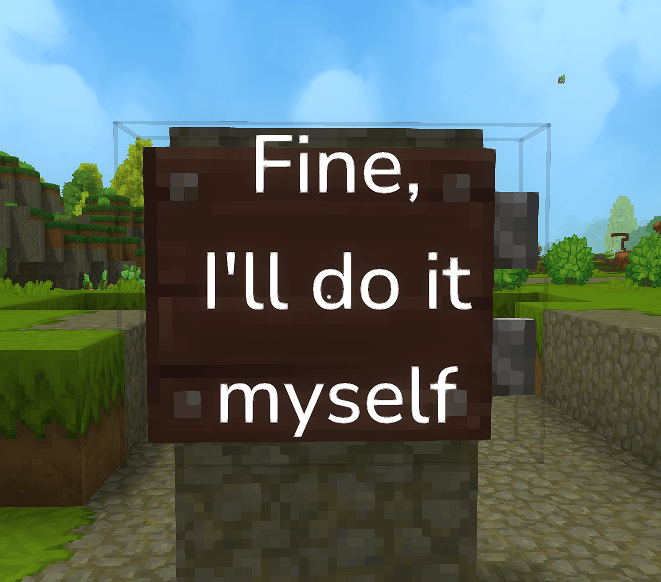
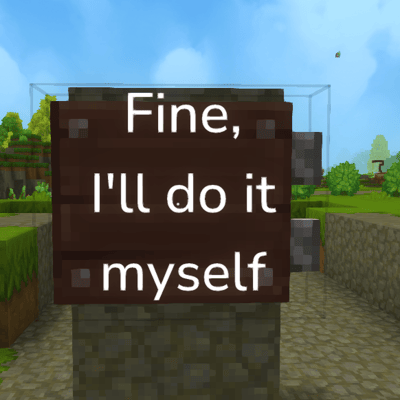
- Floating Hologram Display - Text appears as floating holograms above the sign, visible to all players
- Persistent Storage - Sign text is saved and automatically reloads when the server restarts
- Automatic Cleanup - Holograms are automatically removed when signs are broken
Usage
- Place any editable sign block
- A text input UI will automatically appear
- Enter your text (up to 3 lines, 16 characters each)
- Click "Confirm" to create the hologram text
- The text will appear floating above your sign
Technical Details
- Text is displayed using projectile entities with custom names
- Sign locations and hologram UUIDs are tracked in
sign_holograms.txt - Adjacent block detection ensures holograms are cleaned up when supporting blocks are destroyed
- Uses Hytale's Custom UI system for the text input interface
Configuration
No configuration required - works out of the box! But has an auto-generated config that you can enable debug mode in.
Building
mvn clean install
The compiled plugin will be in target/quicksigns-<version>.jar
TODO
- [ ] Allow sign editing with use button
- [ ] Add support for lumberjack sign if anyone cares