 Miscellaneous
 Quality of Life
 Gameplay
 Utility
🏷 MysticNameTags
WIKI
Use my Creator Code: ALPHINE to support me and my projects.
Plugin Stats - Starting 1.1.9+

MysticNameTags is a modern, permission-driven, and performance-focused tag and nameplate system for Hytale servers.
Built for servers that want:
- Clean UI
- Flexible tag progression
- Strict permission control
- Optional economy support
- Multi-stat unlock requirements
- Seasonal and event-driven cosmetic tags
- Optional experimental glyph nameplates
- Minimal overhead and no pointless tick spam
⚠ Compatibility Warning - Please Read
MysticNameTags v1.2.8 is built for Hytale Update 6 / Hytale 0.6.x.
This version will ONLY work on Hytale 0.6.x.
It is not compatible with Hytale 0.5.x or older dated server builds such as:
2026.03.26-*
If your server is still running Hytale Update 5 or an older build, do not update to MysticNameTags v1.2.8 yet.
Before updating, back up:
settings.json
tags.json
playerdata
After installing the new jar:
- Make sure your server is running Hytale
0.6.x. - Restart the server.
- Confirm MysticNameTags loads without compatibility errors.
- Run
/tagsadmin doctor. - Check the Admin Dashboard health/debug section.
- Test
/mnametags nameplate status. - Equip a packet glyph tag and verify self-view and other-player nameplates render correctly.
- If you use RPG Leveling requirements, verify tags using the
rpgleveling.*requirement keys.
WARNING - Please Read
MYSTICNAMETAGS IS NOT A RANK REPLACEMENT. IT IS BUILT FOR COSMETIC FLAIR, PROGRESSION TITLES, AND PLAYER IDENTITY.
This mod does not currently replace fully colored third-party nameplate solutions such as HTNameplates.
If you want fully colored nameplates right now, use HTNameplates.
MysticNameTags is instead focused on:
- progression-based tags
- unlock requirements
- placeholder support
- economy-based cosmetic titles
- event and seasonal tags
- future-forward nameplate expansion
Experimental Glyph Nameplates
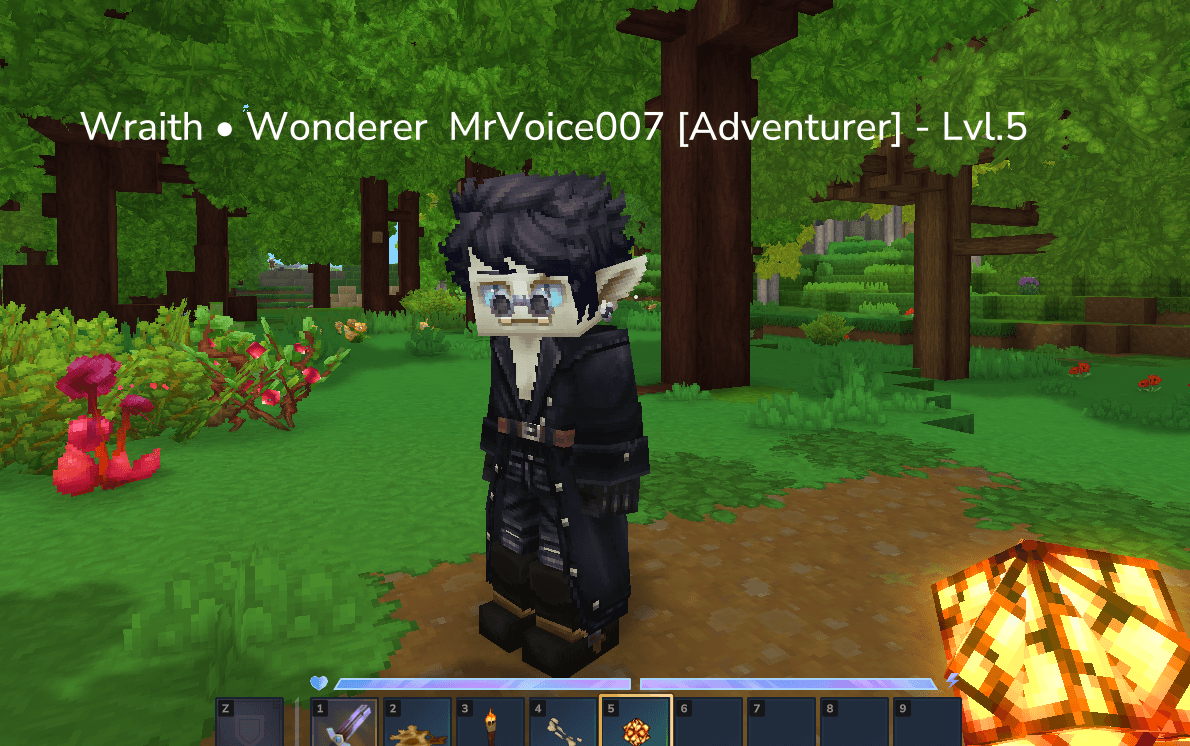
MysticNameTags includes an experimental glyph-based nameplate system.
This system is still under active development and should be treated as experimental.
Important notes:
- glyph nameplates are more expensive than normal text-based nameplates
- contiguous characters of the same color share one spawned run entity; each character is a model attachment
- lower glyph limits can cause wording to be cut off
- Hytale may not support every decorative Unicode symbol
- this system is best suited for testing, roleplay events, or smaller servers while it continues to mature
Recent versions introduced major progress toward a more stable glyph nameplate foundation, including:
- improved rendering stability
- better movement/attachment handling
- cross-world support
- crash fail-safes for nameplate load failures
- selectable glyph font folders
- safer behavior in multi-world environments
- Update 6 attachment-run rendering and a reduced 65-model positioning grid
🖼 Tag Banners
A tag can render as artwork instead of text. Drop a PNG in the plugin's images/
folder, point a tag at it, and that image replaces the player's nameplate.
Setup
- Put your art in
mods/MysticHorizons_MysticNameTags/images/, e.g.legend.png. - Reference it from
tags.json:
{
  "id": "legend",
  "display": "&#FFD700✦ LEGEND",
  "banner": "legend",
  "category": "Prestige"
}
- Run
/tags reload.
banner accepts legend, legend.png or images/legend.png — all resolve to the same file.
Banner PNGs are registered as client assets and pushed to players who are already connected,
so new art goes live on reload without a restart or a client-side download step.
Where the banner lands in the nameplate
By default a banner replaces the entire nameplate — rank, name and all.
Set bannerKeepNameLine: true and the banner instead drops into the {tag} slot of your
nameplateFormat, with every other line rendering as normal glyph text. So this format:
"nameplateFormat": "{rank} {name}/n{tag}/n&7Lv &7• &a{mmoskilltree.total_level}"
renders as:
Lv • 160                     <- {rank} {name} is the FIRST format line and
[  Founding Embers art  ]       renders at the BOTTOM; lines stack upward
[Owner] Alphine
The banner takes the exact position the tag's text occupied. Notes:
- Raise
experimentalGlyphMaxLinesto match your line count — it defaults to2, and a
three-line format needs3. - If something else shares the
{tag}line, it renders on its own line just after the banner
rather than being dropped. - If your format has no
{tag}at all, the banner is added as the topmost line. - A banner costs one entity where the tag's text cost one per character, so switching a tag to
a banner frees glyph budget for the remaining lines.
Licensing
Tag banners are a licensed feature (mysticnametags / tags.banner). Everything else in the
mod is unlicensed and always works.
Put license.mclicense in the plugin's data directory next to settings.json, then restart or run
/tags reload. Verification is entirely offline — the mod never contacts a licensing server and
never needs an internet connection.
On first run the mod writes two files into its data directory:
server-id.txt— this server's licensing identity. Register it in the portal to bind a
license here. Back it up; do not copy it to another server, or a license bound to it will
stop working there.license-request.json— written only when no license is present. Upload it to the portal
instead of typing the UUID by hand.
If server-id.txt is ever corrupted, the mod will not regenerate it. Regenerating would orphan
your license against a UUID you can no longer produce, so it reports the problem and leaves the file
alone. Fix or delete it, then re-register through the portal's server-replacement flow.
The mod logs one line at startup and is then quiet:
[MysticNameTags] License: VALID - licensed (id=lic_01K1A2…, banners=enabled)
[MysticNameTags] Server licensing id: 20bf6b33-b798-43bb-b248-e4162a26ce28
| Status | What it means for you |
|---|---|
VALID |
Banners work. |
GRACE_PERIOD |
Expired but inside its grace window. Banners still work; renew soon. Warned once per start. |
MISSING |
No license file. Banner tags render their text display. |
EXPIRED |
Past expiry and grace. Renew to restore banners. |
NOT_YET_VALID |
The license starts later; check the server clock. |
WRONG_SERVER |
Registered to a different server-id.txt. |
WRONG_PRODUCT |
The license does not cover mysticnametags. |
INVALID_SIGNATURE / DECRYPTION_FAILED / INVALID_FORMAT |
The file is damaged or altered. Re-download it. |
UNKNOWN_SIGNING_KEY / UNKNOWN_ENCRYPTION_KEY |
The license needs a newer build of the mod. |
A licensing problem never breaks your server. Any status other than VALID/GRACE_PERIOD
switches off banner artwork and nothing else — tags, the /tags menu, nameplates, and every other
feature carry on. Banner tags simply render their text display, exactly as they did before
banners existed. A corrupt or truncated license file is a status, not a crash.
Honestly, what this does and does not protect
- The Ed25519 signature is the security boundary. The AES content key ships inside the mod and
should be assumed extractable; it only makes license contents opaque to casual inspection.
Extracting it does not allow forging a license — that needs the private key, which only the
licensing server holds. - Java bytecode can be patched. Someone determined can remove these checks. This is a licensing
control for honest operators, not DRM. There is deliberately no obfuscation, anti-debug tricks or
integrity self-checking: they cost real reliability and buy almost nothing. - Offline licenses cannot be revoked remotely. Expiry plus the grace period is what limits a
downloaded file. No revocation-list fetching is implemented, on purpose — a mod that hard-fails
when a server is unreachable is worse than one that occasionally honours a revoked license.
Requirements
Banners render through the glyph nameplate pipeline, so both of these must be on in
settings.json:
{
  "bannersEnabled": true,
  "experimentalGlyphNameplatesEnabled": true
}
With either disabled — or if the PNG is missing — the tag falls back to its normal text
display, so a bad config never leaves a player with no nameplate.
Sizing
160 pixels = 1 block. That is the only number you need: a 256x64 banner renders
1.6 blocks wide by 0.4 blocks tall, at exactly one texel per pixel.
| Value | |
|---|---|
| Recommended size | 256x64 (4:1) |
| Recommended file size | under 32 KB |
| Max before downscaling | 256 px wide, 128 px tall (at default caps) |
| Hard max width | 1280 px, only if bannerMaxWidthBlocks is raised to its 8.0 maximum |
| Max file size | 256 KB, raise via bannerMaxFileBytes |
Anything larger still works — it is scaled down keeping its aspect ratio — but you gain
nothing, because it renders at the same on-screen size from more bytes and looks softer
for having been downsampled.
Both bannerMaxWidthBlocks (default 1.6) and bannerMaxHeightBlocks (default 0.8)
apply, and the tighter of the two wins. A tall image is therefore limited by its height
rather than growing upward over the player's head.
Banners are drawn on a bundled quad chosen from a ladder of aspect ratios — 8:1, 6:1, 4:1,
3:1, 2:1, 3:2, 1:1, 2:3, 1:2 — and then scaled to size. The recommended 256x64 matches
the 4:1 quad exactly, so it renders with no distortion at all. Ratios between rungs are
snapped to the nearest one, which is the other reason to stick to a common ratio.
bannerScaleon an individual tag multiplies its size before those caps apply, so it can
shrink a banner but never push it past the caps.- Transparency works. Banners render fullbright and double-sided.
- Files over
bannerMaxFileBytes(default 256 KB) are skipped with a warning in the log.
Worked examples at default caps:
256x64    ->  1.60 x 0.40 blocks   1:1, no scaling      <- recommended
128x32    ->  0.80 x 0.20 blocks   1:1, no scaling
256x128   ->  1.60 x 0.80 blocks   1:1, at the height cap
64x64     ->  0.40 x 0.40 blocks   1:1, square badge
512x128   ->  1.60 x 0.40 blocks   downscaled, no visual gain
Notes
displayis still required and still used — it is what appears in chat, the/tagsmenu
and placeholders.banneronly changes the 3D nameplate.- A banner costs one entity regardless of how wide the art is, which makes banner tags
considerably cheaper than the equivalent text rendered as glyphs. - Set
bannerKeepNameLine: trueto keep the normal name line rendered under the banner. - Animated GIFs are not supported — the Hytale client decodes PNG and SVG only.
/tagsadmin doctorflags tags whose banner file is missing or whose settings would stop
the banner rendering.
📦 Suggested Mods / Integrations
These are optional but supported by MysticNameTags:
- Third Person Nameplates
- HTNameplates
- EcoTale / economy backends
- HyEssentialsX
- VaultUnlocked
- Zid’s Playtime
- EndlessLeveling
- RPG Leveling
- WiFlow PlaceholderAPI
- HelpChat PlaceholderAPI
- EcoTalesQuests (early Adventurer Rank override support)
🌐 Community & Support
Discord: Hyzion Discord https://discord.gg/9aq3Gqg3Gy
Support tickets can be created in:
#create-ticket
⚠ This Discord also serves an in-development Hytale server, so please keep that in mind when joining.
🤝 Official Partnered Servers
You can see MysticNameTags in action on:
- Hyzion - (Currently in Development)
- HyForger Skyblock -
play.hyforger.com
📦 Official Assets For MysticNameTags
If you want to support the mod, you can download it here or grab additional packs below.
✨ Features
🏷 Fully Custom Tag System
Define unlimited tags in:
tags.json
Each tag supports:
- custom display names
&formatting codes- hex colors via
&#RRGGBB - optional economy pricing
- permission requirements
- playtime requirements
- multi-stat requirements
- owned-tag progression requirements
- item tribute requirements
- unlock console commands
- category grouping
- placeholder-based requirements
- seasonal/event availability windows
Tags can be:
- free
- permission-locked
- stat-based
- playtime-based
- purchase-based
- item-based
- placeholder-gated
- progression-locked
- seasonal/event-limited
- any combination of the above
All configured conditions must be met unless the tag is intentionally configured otherwise.
📅 Seasonal / Event Tags
MysticNameTags supports limited-time tags for holidays, events, seasons, server launches, and temporary promotions.
Example:
{
  "id": "event.winter_frost",
  "display": "&b[Frost]",
  "description": "Winter event tag.",
  "category": "Seasonal",
  "season": "Winter 2026",
  "activeFrom": "2026-12-01",
  "activeUntil": "2027-01-15",
  "availabilityMessage": "The Frost tag is only unlockable during the Winter event.",
  "purchasable": true,
  "price": 500
}
Seasonal behavior:
- unowned tags outside their active window are hidden from normal players
- owned tags can still be equipped after the event ends
- inactive event tags can be shown in debug/admin visibility paths
- custom
availabilityMessagetext is shown when an unavailable tag is attempted /tagsadmin doctorreports seasonal tags that are currently outside their window
Date-only values are interpreted in UTC. For example, activeUntil: "2027-01-15" ends at the next UTC midnight.
🧠 Advanced Unlock Requirements
MysticNameTags supports layered requirement logic such as:
permissionrequiredPlaytimeMinutesrequiredOwnedTagsrequiredStatKey+requiredStatValuerequiredStatsrequiredItemsrequiredPlaceholderspurchasable+priceactiveFrom+activeUntil
Supported Stat Keys
Internal stats via PlayerStatManager:
custom.kills_totalcustom.deaths_totalcustom.damage_dealtcustom.damage_takenkilled.<entityId>mined.<blockId>placed.<blockId>
Examples:
killed.goblin_minerkilled.Playerkilled.goblin_*mined.hytale:stone
Wildcard matching is supported where applicable.
EndlessLeveling Stat Keys
endlessleveling.levelendlessleveling.xpendlessleveling.prestigeendlessleveling.skill.<ATTRIBUTE>
Examples:
endlessleveling.skill.LIFE_FORCEendlessleveling.skill.STRENGTHendlessleveling.skill.ATTACK
These are bridged into MysticNameTags and can be used directly in requirement displays and unlock logic.
🎁 On Unlock Commands
Each tag can optionally execute console commands the first time it is unlocked.
Example:
"onUnlockCommands": [
  "give <player> diamond 3",
  "broadcast &6<player> has unlocked the Primordial tag!"
]
How it works:
- runs only once on first unlock
- executes as console
- replaces
<player>automatically
Useful for:
- crate keys
- rank rewards
- item rewards
- broadcasts
- external integration hooks
Placeholder Requirement Operators
MysticNameTags supports multiple placeholder comparison types.
Numeric operators
>>=<<===!=
String operators
==!=contains
Boolean operators
truefalse
Examples:
{
  "placeholder": "%wi_level%",
  "operator": ">=",
  "value": "100"
}
{
  "placeholder": "%luckperms_primary_group%",
  "operator": "==",
  "value": "vip"
}
{
  "placeholder": "%some_permission_placeholder%",
  "operator": "true",
  "value": "true"
}
This makes it easy to gate tags behind:
- ranks
- web sync flags
- external status values
- custom placeholder systems
- permission-style checks
🎨 Color Formatting
MysticNameTags supports color formats that Hytale currently handles reliably.
Supported formatting
- legacy
&color/format codes - hex colors using
&#RRGGBB - MiniMessage subset colors and gradients
Examples:
&6&l[Champion]
&#FFAA00&l[Dragon Soul]
Nameplate color limitations
Due to current Hytale API limitations:
- full colored native nameplate rendering is still limited
- native nameplates flatten configured lines into one line so every placeholder remains visible
- decorative symbols may not render in all Hytale text paths
- final visual rendering is still partially controlled by the client
MysticNameTags will continue to expand proper nameplate styling as Hytale’s APIs mature.
Multi-color text in the menus
The /tags menus render text as spans, so anything with several colors — or a gradient —
shows every one of them rather than being flattened to a single color. This applies to:
- tag displays, in the list, the detail panel and the editor preview
- tag descriptions, in the detail panel, the owned-tags rows and the "How it works" popup
- the current-nameplate previews, which now show the full plate exactly as it renders in world
This also fixes a rendering bug: a label's Style.TextColor only applies when a page is first
built and silently does nothing on later updates, which used to leave stale colors behind when
paging through the tag list or switching selection.
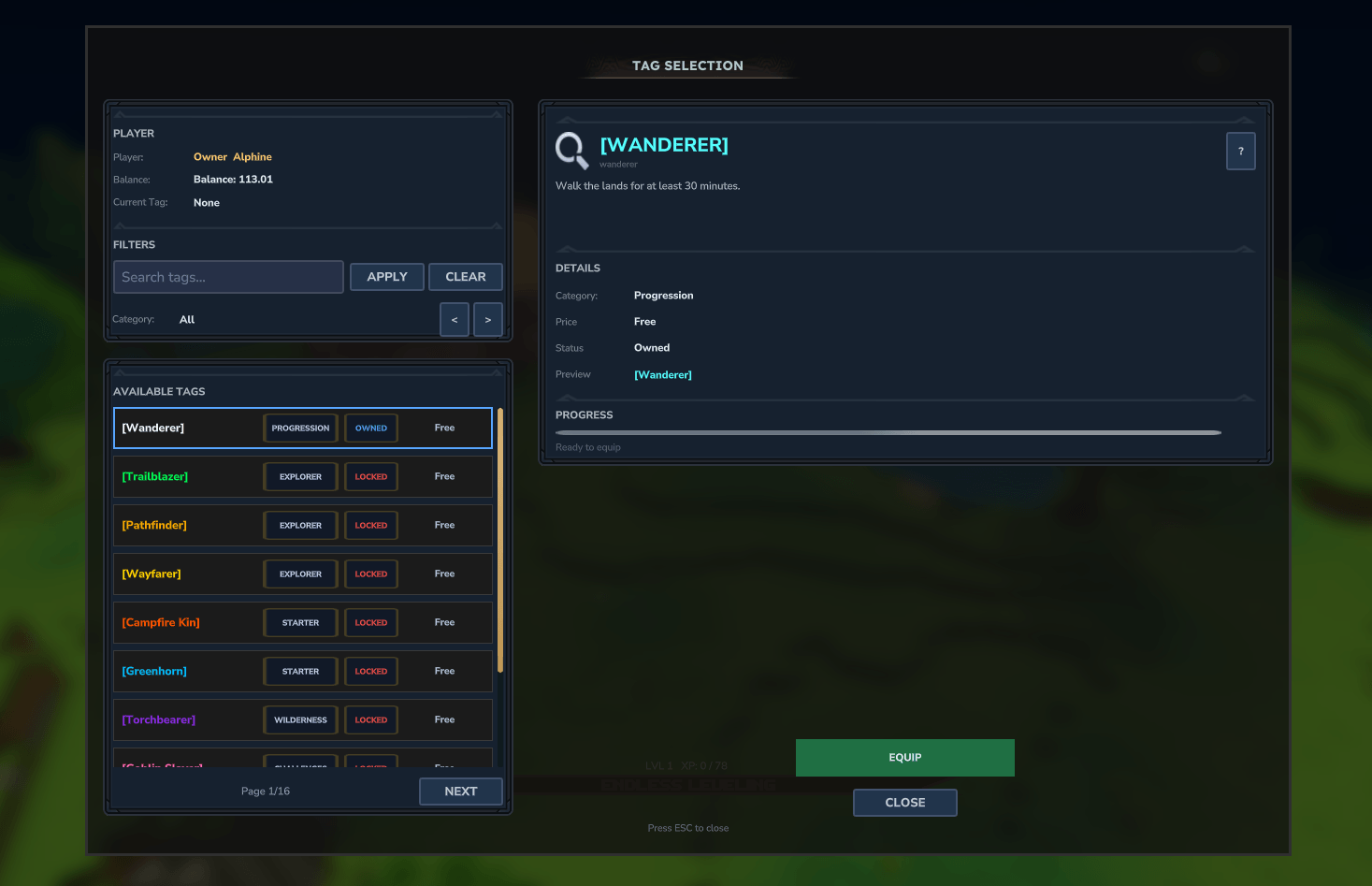
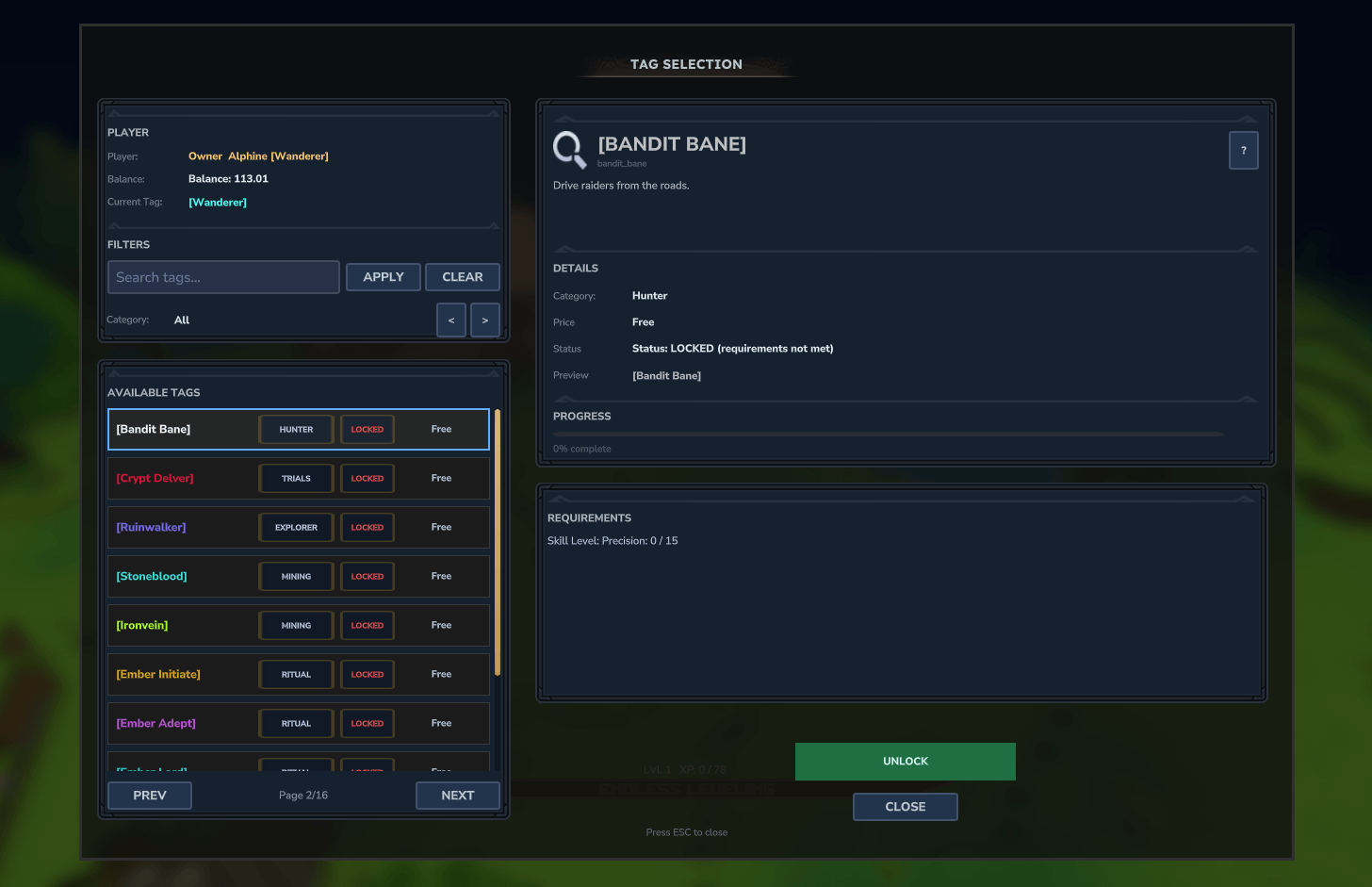
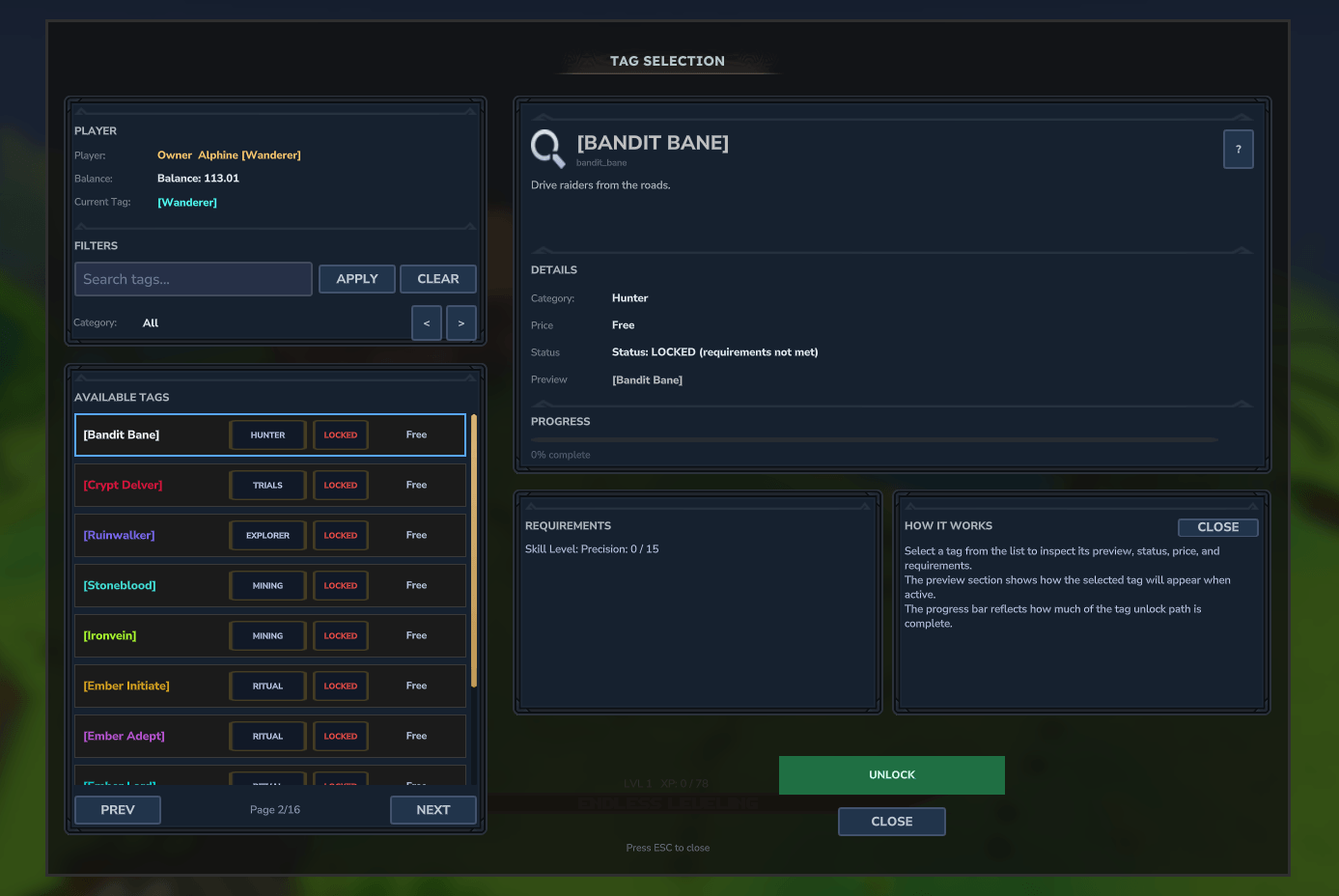
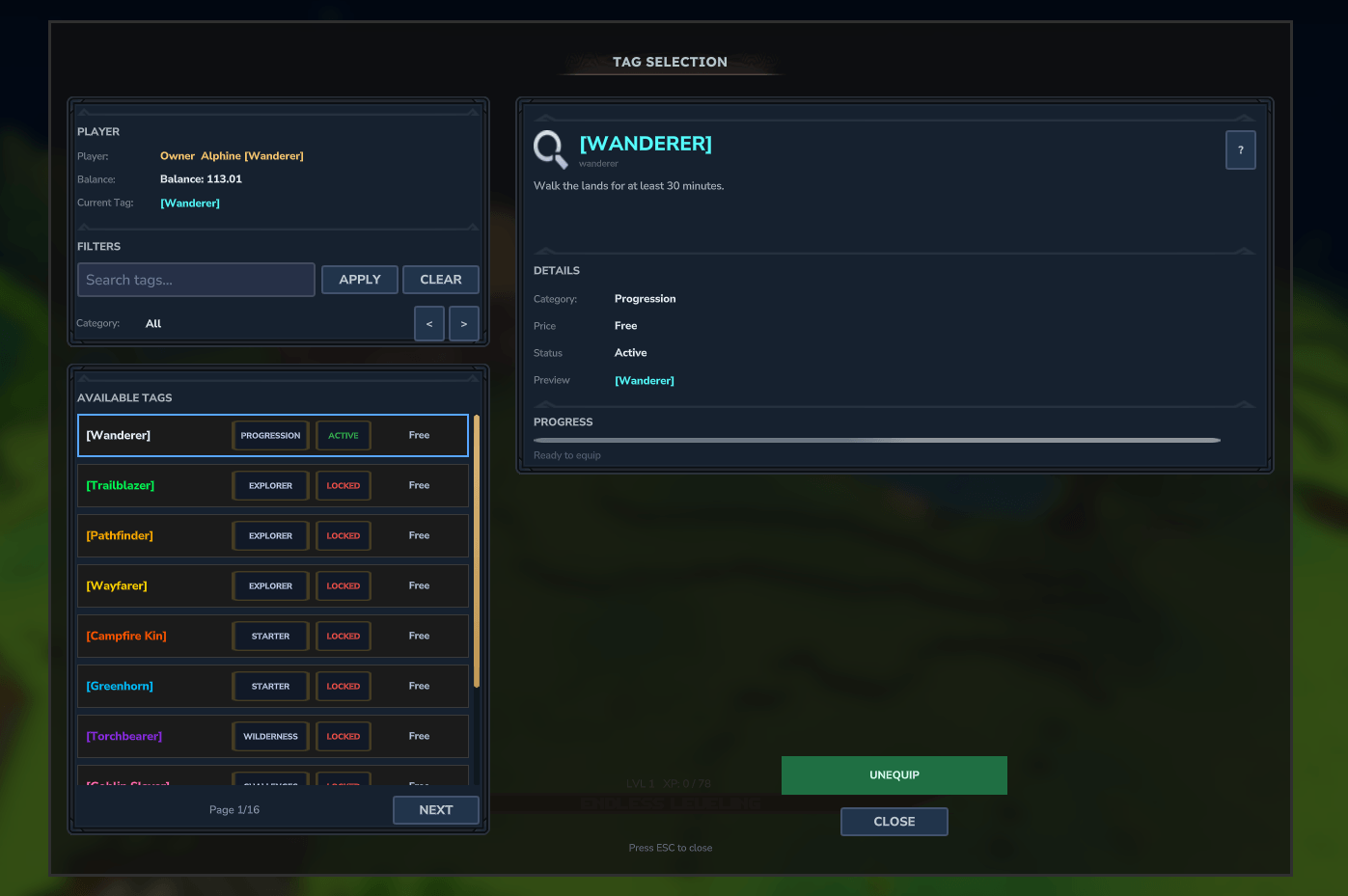
🖥 Clean & Scalable UI
Open the main interface with:
/tags
Included features:
- tag browser UI
- category filtering
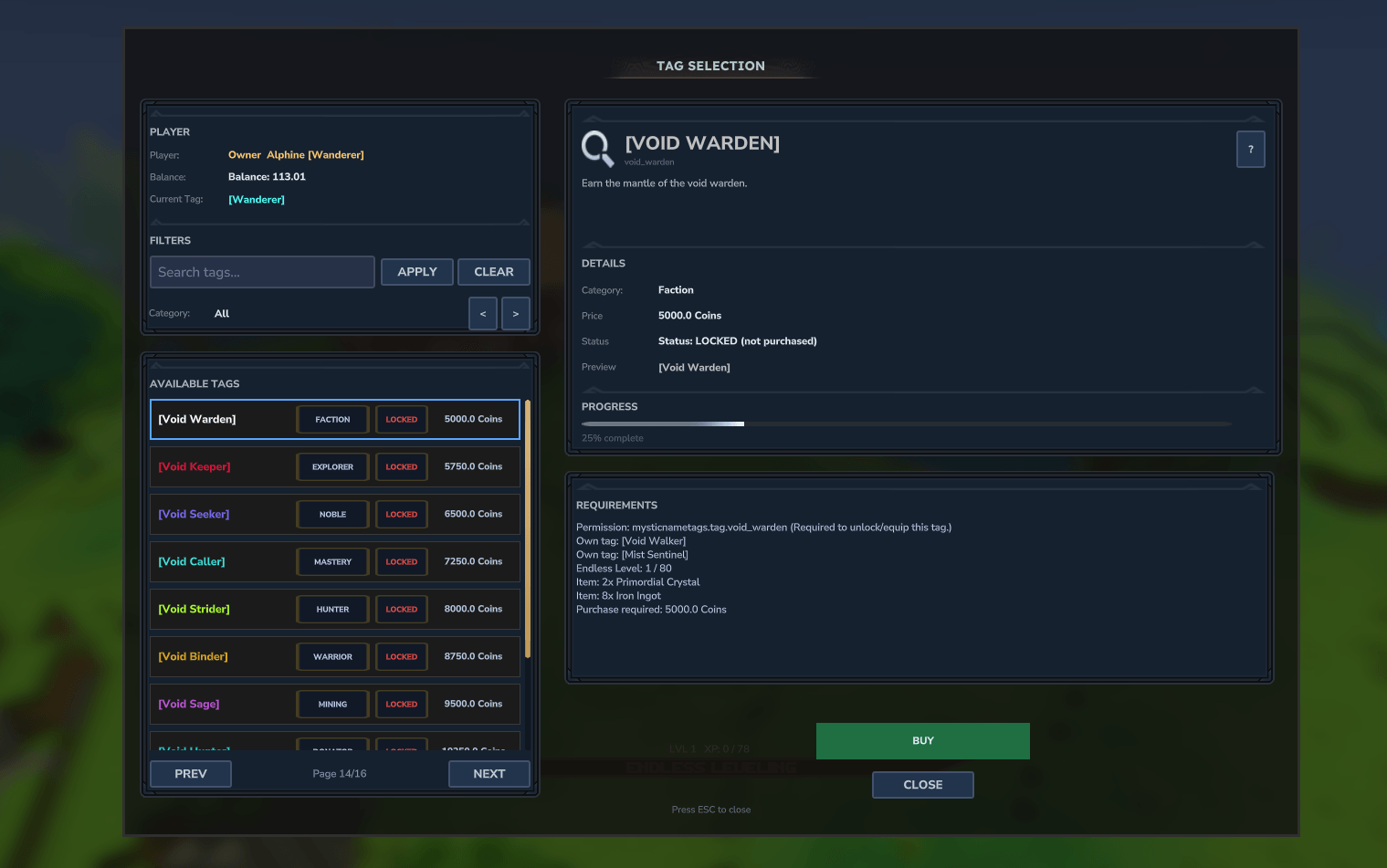
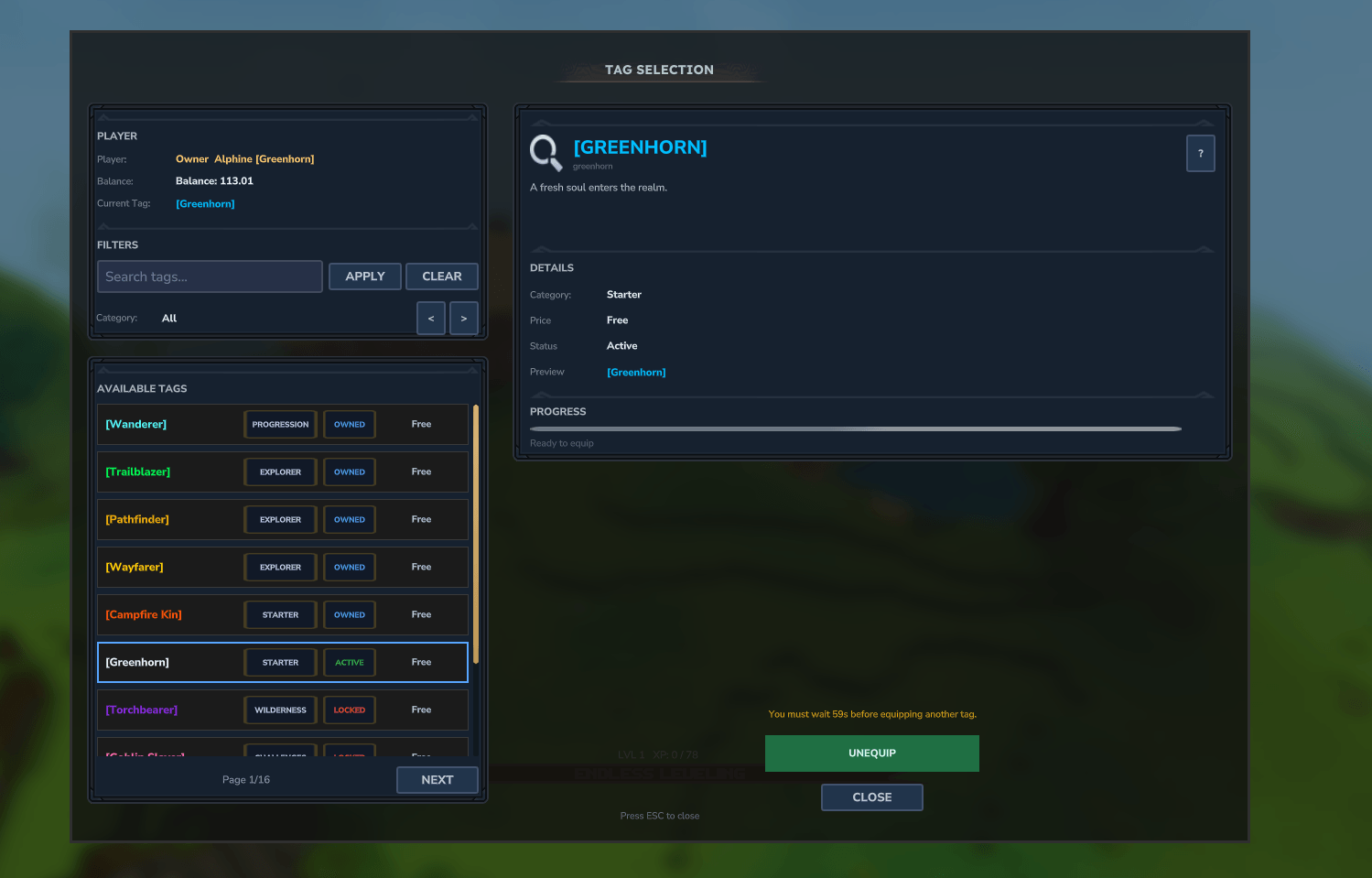
- locked vs unlocked state indicators
- seasonal/event tag state indicators
- requirement breakdown panels
- current nameplate preview
- pagination for large tag libraries
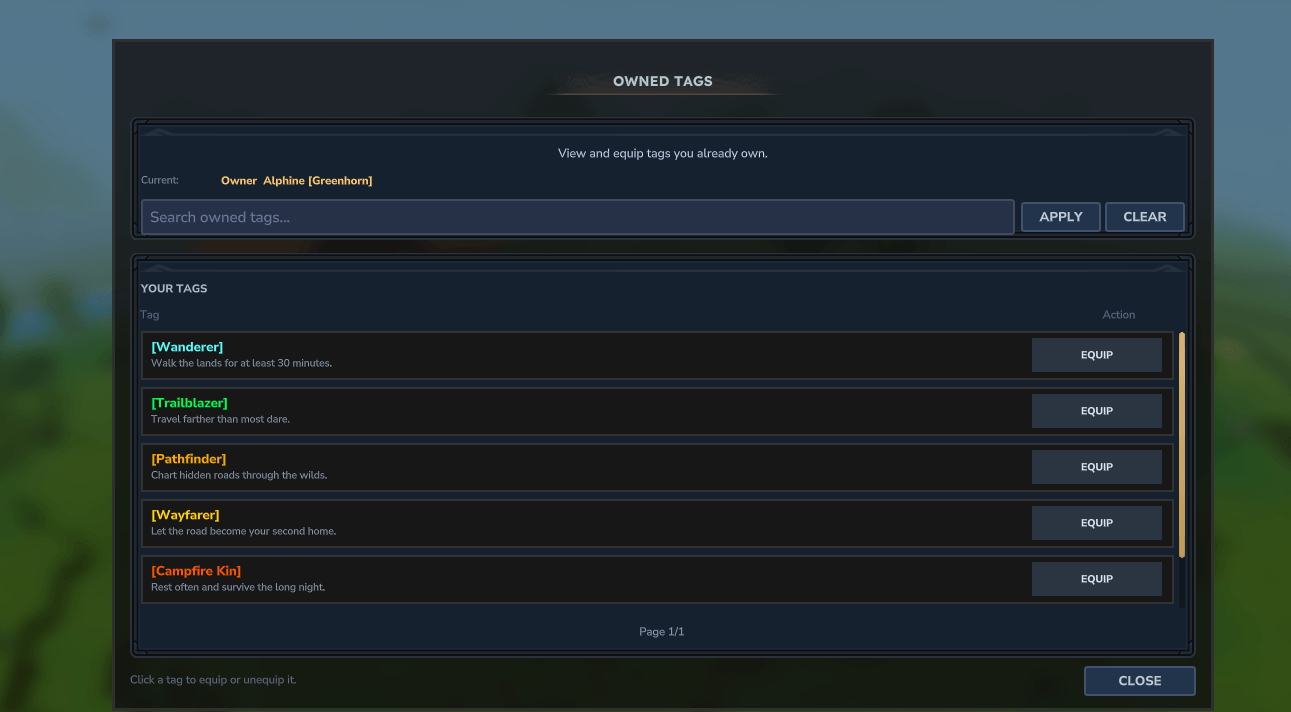
Additional UI:
/tagsowned
Shows only tags already unlocked by the player, if enabled in settings.json.
🛠 Admin Dashboard
MysticNameTags includes an Admin Dashboard for server owners and admins.
Dashboard features include:
- update information
- integration status
- permission backend visibility
- economy backend visibility
- placeholder backend visibility
- nameplate integration status
- active nameplate preset display
- active glyph font display
- doctor/debug health summary
The dashboard is meant to make common configuration issues visible without digging through logs.
🩺 Config Doctor
Run:
/tagsadmin doctor
The doctor command checks common configuration problems, including:
- malformed or duplicate tag IDs
- missing displays
- invalid prices
- default tag problems
- seasonal/event availability windows
- availability messages without availability windows
- economy configuration issues
- missing permission nodes when permission gates are enabled
- item, stat, placeholder, and owned-tag requirement issues
- multiline nameplate formats without glyph nameplates enabled
- active nameplate preset behavior
- active glyph font behavior
INFO findings are usually informational. For example, a seasonal tag outside its active window is expected behavior unless it should currently be live.
🔐 Permission-First Design
MysticNameTags is designed around permission safety.
Core notes:
- all tags can respect permissions
- nothing is hardcoded into the plugin for tag unlock nodes
- tag permissions come from
tags.json - checks are cached and refreshed safely
- no pointless polling loops
Core permission nodes:
mysticnametags.ui.openmysticnametags.reloadmysticnametags.admin.update
Permission Gate Modes
Soft Permission Gate
"permissionGate": true
Tags remain visible, but the player still needs the permission to unlock or equip them.
Full Permission Gate
"fullPermissionGate": true
Tags are fully hidden when the player lacks permission.
Useful for:
- donor tags
- staff tags
- admin-only tags
- hidden event tags
- seasonal content
🔄 Multi-Permission Backend Support
MysticNameTags supports multiple permission backends and probes them safely.
Supported:
- native Hytale permissions
- LuckPerms
- PermissionsPlus
- HyperPerms
If no third-party backend is found, the plugin safely falls back to native Hytale permissions.
💰 Optional Economy Support
MysticNameTags supports both ledger-style economies and physical currency systems.
Supported ledger backends
The plugin probes these in order and uses the first valid backend:
- EconomySystem / TheEconomy and forks
- HyEssentialsX EconomyAPI
- EcoTale
- VaultUnlocked
- EliteEssentials
Physical currency support
Full support exists for Coins & Markets style physical coin systems.
This allows:
- item-based currency
- direct coin removal
- no virtual balance requirement
When economy logic runs
Economy checks only run when needed:
- opening the
/tagsUI - attempting to purchase a tag
There are no useless per-tick economy loops.
If no economy is available, or economy is disabled, the plugin safely shows:
Balance: N/A
and price-based tags become non-purchasable.
🔌 Optional Integrations
MysticNameTags includes safe optional support for:
- LuckPerms
- PermissionsPlus
- HyperPerms
- PrefixesPlus
- EconomySystem / TheEconomy
- EcoTale
- VaultUnlocked
- Coins & Markets
- EliteEssentials
- HyEssentialsX
- HelpChat PlaceholderAPI
- WiFlow PlaceholderAPI
- RPG Leveling
- EndlessLeveling
- EcoTalesQuests (early Adventurer Rank override support)
If an integration is not installed, it is skipped safely without hard errors.
🎮 RPG Leveling Integration
MysticNameTags supports RPG Leveling nameplate values and tag requirements.
To avoid nameplate conflicts with RPG Leveling:
In RPG Leveling config:
EnablePlayerLevelNameplate = false
In settings.json:
"rpgLevelingNameplatesEnabled": true,
"rpgLevelingRefreshSeconds": 30
Then restart or reload MysticNameTags.
Starting with MysticNameTags v1.2.5, RPG Leveling support has been updated for Hytale Update 5 / RPG Leveling 0.3.6+.
Supported requirement keys include:
rpgleveling.lvl
rpgleveling.skills.<stat>
rpgleveling.skills.available
rpgleveling.skills.total
rpgleveling.classes
rpgleveling.classes.<classId>
rpgleveling.classes.tier
rpgleveling.classes.tier.<classId>
rpgleveling.progression
rpgleveling.progression.xp
rpgleveling.progression.required_xp
rpgleveling.progression.class_kills
Older aliases are still preserved where possible, including:
rpgleveling.level
rpgleveling.class.*
rpgleveling.class_tier.*
This allows tags to be locked behind RPG Leveling progression, class data, skill stats, XP progress, and class kill progression.
⚙ Configuration Guide
settings.json
MysticNameTags generates a structured settings.json on first run.
Core
"nameplatePreset": "CUSTOM",
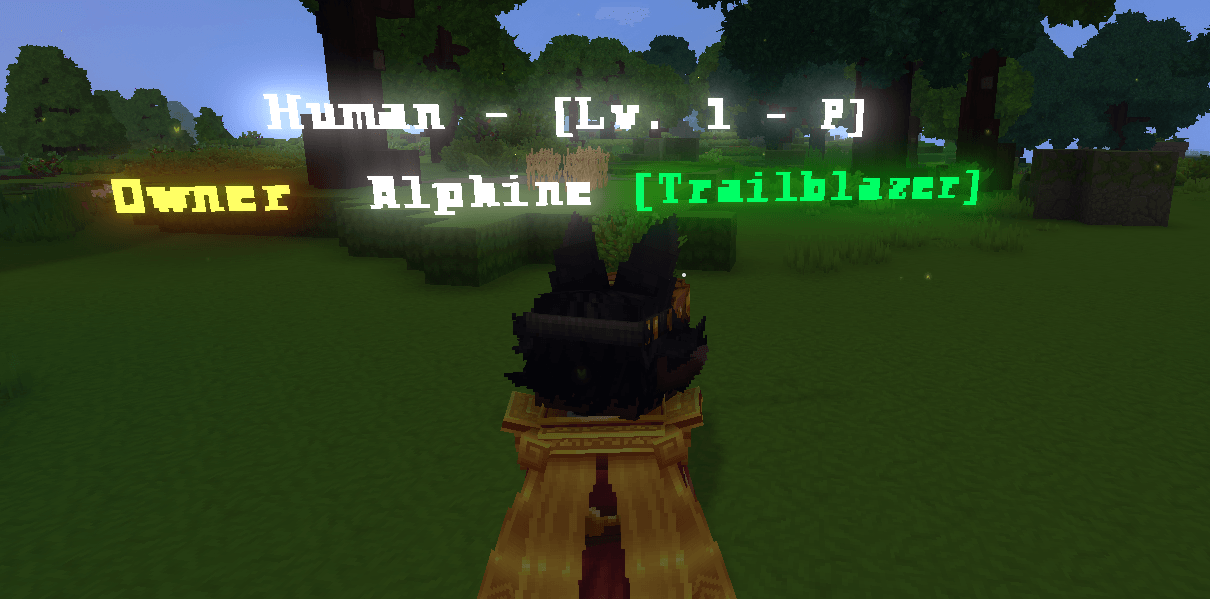
"nameplateFormat": "{rank} {name} {tag}\\n{endless_race} - [Lv. {endless_level} - P{endless_prestige}]",
"stripExtraSpaces": true,
"language": "en_US",
"tagDelaysecs": 60
Supported format tokens include:
{rank}{name}{tag}{endless_level}{endless_prestige}{endless_race}{endless_primary_class}{endless_secondary_class}{rpg_level}{ecoquests_rank}{mmoskilltree.total_level}{mmoskilltree.total_xp}{mmoskilltree.level.<skillId>}/{mmoskilltree.skill.<skillId>}{mmoskilltree.xp.<skillId>}{mmoskilltree.progress.<skillId>}/{mmoskilltree.level_progress.<skillId>}{mmoskilltree.achievement.<id>}/{mmoskilltree.achievement.unlocked.<id>}{mmoskilltree.achievement_progress.<id>}/{mmoskilltree.achievement.progress.<id>}{mmoskilltree.achievement_points}{mmoskilltree.stat.<canonicalKey>}/{mmoskilltree.statistics.<canonicalKey>}
MMOSkillTree nameplate tokens use the same keys as tag stat requirements and
refresh when skill XP or achievement events fire.
When a supported placeholder plugin is enabled, nameplateFormat also accepts
external placeholders directly. Use %some_placeholder% for HelpChat
PlaceholderAPI or {some_placeholder} for WiFlow PlaceholderAPI. Built-in and
MMOSkillTree tokens are resolved first, followed by the external placeholder
plugins.
Supported newline formats:
/n\n{nl}{newline}<br>
Native Hytale nameplates flatten configured lines into one line so no resolved
placeholders are lost. Experimental glyph nameplates preserve the multiline layout.
Nameplate Presets
"nameplatePreset": "CUSTOM"
Available presets:
CUSTOMCOMPACTTAG_ONLYTWO_LINERPGENDLESS
When nameplatePreset is anything other than CUSTOM, it overrides nameplateFormat.
Storage
"storageBackend": "FILE",
"sqliteFile": "playerdata.db",
"mysqlHost": "localhost",
"mysqlPort": 3306,
"mysqlDatabase": "mysticnametags",
"mysqlUser": "root",
"mysqlPassword": "password"
Supported storage backends:
| Backend | Scope | Notes |
|---|---|---|
FILE |
Single server | playerdata/*.json. The default. |
SQLITE |
Single server | One local database file. |
MYSQL |
Network | Shared across every server. Recommended for networks. |
REDIS |
Network | Shared across every server. Needs Redis persistence enabled. |
FILE and SQLITE are local to one server, so a tag equipped on one server is
invisible to the others. MYSQL and REDIS are shared: every server reads and
writes the same record.
Networks (Redis)
"redisSyncEnabled": false,
"redisHost": "localhost",
"redisPort": 6379,
"redisUser": "",
"redisPassword": "",
"redisDatabase": 0,
"redisSsl": false,
"redisKeyPrefix": "mysticnametags:",
"redisTimeoutMs": 2000,
"redisPoolSize": 8,
"networkServerId": ""
There are two independent pieces here, and you can use either or both.
1. Redis as the storage backend (storageBackend: "REDIS")
Player tag data lives in Redis instead of a file or SQL, one key per player:
mysticnametags:tags:<uuid>    tag ownership, equipped tag, favorites, loadouts
mysticnametags:stats:<uuid>   tracked stats used by stat-gated tags
Every server re-reads a player's record as they connect, so a tag unlocked and
equipped on Server A is already unlocked and equipped when that player joins
Server B: their nameplate is drawn with it the first time it renders, without
any command or relog.
Redis must have RDB or AOF persistence enabled when it is your storage backend,
otherwise tag ownership is lost if the Redis instance restarts. If you would
rather keep durability in SQL, use MYSQL storage with redisSyncEnabled
instead: the SQL row stays the source of truth and Redis only carries messages.
2. Cross-server sync (redisSyncEnabled: true)
Works alongside any shared backend. Whenever a player's tag data changes, that
server publishes a short message on <redisKeyPrefix>sync; the other servers
drop their cached copy, re-read the record, and repaint the nameplate if that
player happens to be on them.
Without sync, a shared backend already carries tags across servers on join.
With sync, changes also land immediately — granting a tag from the lobby
updates the player standing on the survival server right away.
Setup notes:
- Use the same
redisKeyPrefixon every server, or they will not see each
other's data or messages. networkServerIdmay be left blank. It is generated automatically and exists
only so a server can ignore the messages it published itself.- Redis settings are read at startup. Restart the server after changing them;
/tags reloaddoes not reconnect. - If Redis is unreachable, MysticNameTags logs it and keeps running. A record it
could not read is treated as unknown rather than empty, and is never written
back over, so an outage cannot wipe a player's tags.
Check the live state at any time with /tagsadmin storage, /tagsadmin debugstorage, or /tagsadmin doctor.
Migrating an existing network. Point every server at the same Redis or
MySQL instance and restart them. Each server imports its own playerdata/
folder on first boot, skipping any player another server already imported, then
renames the folder to playerdata_legacy. Import is first-writer-wins, so if
the same player exists on several servers with different tags, start the server
holding the data you want to keep first.
Nameplates
"nameplatesEnabled": true,
"defaultTagEnabled": false,
"defaultTagId": "mystic"
defaultTagEnabledenables a fallback tag when no tag is equippeddefaultTagIdmust match an existing tag intags.json
EndlessLeveling
"endlessLevelingNameplatesEnabled": true,
"endlessRaceDisplay": true,
"endlessPrestigeDisplay": true,
"endlessPrimaryClassDisplay": false,
"endlessSecondaryClassDisplay": false,
"endlessPrestigePrefix": "P"
Controls EndlessLeveling-based data in nameplates and formatting.
Placeholder APIs
"wiFlowPlaceholdersAutoDetect": true,
"wiFlowPlaceholdersEnabled": true,
"helpchPlaceholderApiAutoDetect": true,
"helpchPlaceholderApiEnabled": true
Autodetect can enable integrations automatically when installed.
Economy / Gating
"economySystemEnabled": true,
"useCoinSystem": false,
"usePhysicalCoinEconomy": false,
"fullPermissionGate": false,
"permissionGate": true
Controls:
- price-based tags
- coin logic
- physical currency behavior
- soft permission gates
- full permission gates
RPG Leveling
"rpgLevelingNameplatesEnabled": false,
"rpgLevelingRefreshSeconds": 30
Playtime
"playtimeProvider": "AUTO",
"ownedTagsCommandEnabled": true
Supported playtime modes:
AUTOINTERNALZIB_PLAYTIMENONE
Experimental Glyph Nameplates
"experimentalGlyphNameplatesEnabled": true,
"experimentalGlyphFont": "default",
"experimentalGlyphMaxChars": 32,
"experimentalGlyphUpdateTicks": 1,
"experimentalGlyphMaxEntitiesPerPlayer": 72,
"experimentalGlyphViewerActivationDistance": 12.0,
"experimentalGlyphViewerDropDistance": 14.0,
"experimentalGlyphViewerRefreshActiveMs": 1,
"experimentalGlyphViewerRefreshIdleMs": 50,
"experimentalGlyphIdleFollowIntervalMs": 50,
"experimentalGlyphRotationSyncIntervalMs": 1,
"experimentalGlyphMaxLines": 2,
"experimentalGlyphMaxCharsPerLine": 32,
"experimentalGlyphLineSpacing": 0.3,
"experimentalGlyphTintStrength": 1.0
Available glyph fonts:
defaultsansserifcomiccursiveimpactmonothin
The default font uses the root glyph assets in:
Common/NPC/MysticNameTags
The named fonts use their matching folders, such as:
Common/NPC/MysticNameTags/sans
Common/NPC/MysticNameTags/comic
Common/NPC/MysticNameTags/serif
Important notes:
- glyph nameplates are experimental
- each character consumes the legacy glyph budget, while contiguous same-color text shares a run entity
- lower
experimentalGlyphMaxEntitiesPerPlayerreduces attachment work but increases the chance of cut-off wording - longer formats and multiple lines need higher values
- use plain ASCII in test configs if Hytale does not render decorative symbols reliably
- use with care on larger servers
Tag Banners
"bannersEnabled": true,
"bannerMaxWidthBlocks": 1.6,
"bannerMaxHeightBlocks": 0.8,
"bannerMaxFileBytes": 262144,
"bannerKeepNameLine": false
| Key | Range | Meaning |
|---|---|---|
bannersEnabled |
— | Master toggle. When false, banner tags render their text display. |
bannerMaxWidthBlocks |
0.25–8.0 |
Widest a banner may render, in blocks. |
bannerMaxHeightBlocks |
0.25–8.0 |
Tallest a banner may render. The tighter of the two caps wins; aspect ratio is always preserved. |
bannerMaxFileBytes |
1024+ |
PNGs larger than this are skipped at load with a warning. |
bannerKeepNameLine |
— | Render the rest of nameplateFormat around the banner, with the banner occupying the {tag} slot. When false, the banner is the whole nameplate. |
Banners also require experimentalGlyphNameplatesEnabled: true. See
Tag Banners for the full workflow.
⚙ Recommended Glyph Settings
Small servers (1-15 players)
Use these for maximum visual quality:
"experimentalGlyphUpdateTicks": 1,
"experimentalGlyphMaxEntitiesPerPlayer": 72,
"experimentalGlyphViewerActivationDistance": 12.0,
"experimentalGlyphViewerDropDistance": 14.0,
"experimentalGlyphViewerRefreshActiveMs": 1,
"experimentalGlyphViewerRefreshIdleMs": 50,
"experimentalGlyphIdleFollowIntervalMs": 50,
"experimentalGlyphRotationSyncIntervalMs": 1,
"experimentalGlyphMaxLines": 2,
"experimentalGlyphMaxCharsPerLine": 32
Medium servers (15-40 players)
Use these for balanced visuals and performance:
"experimentalGlyphUpdateTicks": 2,
"experimentalGlyphMaxEntitiesPerPlayer": 48,
"experimentalGlyphViewerActivationDistance": 10.0,
"experimentalGlyphViewerDropDistance": 12.0,
"experimentalGlyphViewerRefreshActiveMs": 5,
"experimentalGlyphViewerRefreshIdleMs": 75,
"experimentalGlyphIdleFollowIntervalMs": 75,
"experimentalGlyphRotationSyncIntervalMs": 5,
"experimentalGlyphMaxLines": 2,
"experimentalGlyphMaxCharsPerLine": 24
Large servers (40+ players)
Use these only if you want to prioritize stability:
"experimentalGlyphUpdateTicks": 3,
"experimentalGlyphMaxEntitiesPerPlayer": 32,
"experimentalGlyphViewerActivationDistance": 8.0,
"experimentalGlyphViewerDropDistance": 10.0,
"experimentalGlyphViewerRefreshActiveMs": 10,
"experimentalGlyphViewerRefreshIdleMs": 100,
"experimentalGlyphIdleFollowIntervalMs": 100,
"experimentalGlyphRotationSyncIntervalMs": 10,
"experimentalGlyphMaxLines": 1,
"experimentalGlyphMaxCharsPerLine": 16
Glyph tuning notes
- lowering
experimentalGlyphMaxEntitiesPerPlayerhas one of the biggest performance impacts - lowering it too much can cause nameplate wording to cut off
- reducing
experimentalGlyphMaxCharsPerLinelowers entity usage - increasing refresh intervals improves performance
- fewer lines means fewer glyph entities
- longer nameplate formats require higher entity budgets
⚙ Glyph Reload Behavior
To avoid massive update spikes across all worlds, glyph nameplates are not force-refreshed globally when reload runs.
Running:
/mnatags reload
does not instantly rebuild every active glyph nameplate in every loaded world.
This is intentional.
Why?
Because force-updating all glyph nameplates globally can create:
- unnecessary lag spikes
- cross-world refresh overhead
- mass entity churn
- worse performance on busy or multi-world servers
How do glyphs update then?
Glyphs update naturally when:
- a player joins a world
- a player equips or changes a tag
- a player status/integration value changes
- a normal internal refresh path is triggered
Manual refresh note
If you want an immediate post-reload visual update, the player should simply re-equip their tag.
This localized refresh behavior is an optimization choice and helps prevent global lag.
🌍 Cross-World Glyph Safety
MysticNameTags includes:
- cross-world nameplate support
- safer world transition handling
- fail-safes when glyph nameplates fail to load in another world
If a glyph/nameplate fails to load during a cross-world situation:
- the world should not crash
- the player should not crash
- the nameplate safely skips or recovers instead of causing a fatal failure
This is a major stability improvement for multi-world environments.
Placeholder Support
HelpChat PlaceholderAPI
%mystictags_tag%%mystictags_tag_plain%%mystictags_full%
WiFlow PlaceholderAPI
{mystictags_tag}{mystictags_tag_plain}{mystictags_full}{mystictags_full_plain}
These can be used in chat, scoreboards, UI systems, and other supported integrations.
🌐 Language Support
MysticNameTags includes locale files such as:
lang/en_US.json
Language selection is controlled in settings.json:
"language": "en_US"
Behavior:
- missing keys fall back to
en_US - custom locales can be expanded manually
- new updates may add additional keys
Relevant files include:
messages.json
howitworkspanel.json
If you update from older versions, regenerate message/language files when required.
📋 Tag Schema
MysticNameTags includes:
tag.schema.json
This can help editors validate tags.json fields such as:
iddisplaypricecategoryrequiredStatsrequiredItemsplaceholderRequirementsactiveFromactiveUntilavailabilityMessage
⚡ High Performance Design
MysticNameTags is designed to avoid wasteful processing.
Performance principles:
- no meaningless tick spam for tags
- economy logic only runs when needed
- permission checks are cached
- stat updates are event-driven where possible
- playtime updates run on controlled intervals
- glyph systems avoid dangerous global refresh behavior
🚧 Active Development Roadmap
Current and planned focus includes:
- continued work toward a stable glyph nameplate system
- more nameplate preset options
- deeper seasonal/event tooling
- image support for nameplates and tags
- more mod integrations
- deeper external system compatibility
- long-term nameplate revamp by v2.0
v1.2.7 planned direction
The remaining post-Update-5 feature work is planned to continue in v1.2.7.
v2.0 goal
A full revamp of the nameplate system with:
- better rendering behavior
- better scalability
- more flexibility
- cleaner long-term architecture
✅ Summary
MysticNameTags delivers:
- modern tag management
- layered unlock requirements
- economy-backed cosmetic progression
- placeholder-driven logic
- optional integrations
- seasonal and event tag support
- clean player UI
- admin diagnostics
- configurable progression paths
- strong performance-aware design
- experimental forward-looking glyph technology
If you want cosmetic tags done right for a Hytale server, MysticNameTags is built for you.
⚠ Notice
Hytale’s APIs and surrounding ecosystem are still evolving.
MysticNameTags will continue adapting as the API matures, integrations improve, and more rendering options become possible.
The project remains actively maintained and continues to expand.
🏷 MysticNameTags FAQ
❓ What is MysticNameTags?
MysticNameTags is a cosmetic player tag and nameplate system for Hytale servers.
It allows players to unlock and equip titles such as:
[Wanderer] PlayerName
[Miner] PlayerName
[Dragon Soul] PlayerName
Tags can be unlocked through:
- permissions
- stats
- playtime
- items
- purchases
- placeholders
- progression chains
- seasonal events
- external integrations
❓ Is MysticNameTags a rank system?
No.
MysticNameTags is not a replacement for ranks or permission groups.
It is built for:
- cosmetic titles
- progression tags
- donor flair
- quest rewards
- achievement-style titles
- event and seasonal rewards
Ranks themselves should still be managed by a permission backend.
❓ Does MysticNameTags support fully colored nameplates?
Not fully yet.
Due to Hytale API limitations, full colored native nameplate rendering is still limited.
What works well right now:
- colored tags in UI
- colored tags in chat via placeholders
- colored placeholder output in supported systems
- colored glyph nameplates in the experimental glyph renderer
For fully colored nameplates right now, use:
HTNameplates
MysticNameTags can work alongside it.
❓ What are glyph nameplates?
Glyph nameplates are an experimental alternate rendering mode where nameplate text is built from glyph entities instead of relying only on default text rendering.
This allows more control, but it is much heavier than normal nameplate behavior.
❓ How do I choose a glyph font?
Set:
"experimentalGlyphFont": "sans"
Available values:
default, sans, serif, comic, cursive, impact, mono, thin
The default font uses the root glyph assets. Named fonts use their matching folders in Common/NPC/MysticNameTags.
❓ Are glyph nameplates production-ready?
Not fully.
They are improving rapidly, and recent updates added:
- rendering stability improvements
- movement/attachment improvements
- cross-world support
- crash fail-safes
- selectable glyph fonts
But they are still considered experimental and should be used carefully on larger servers.
❓ Why is my glyph nameplate text cut off?
Usually because:
"experimentalGlyphMaxEntitiesPerPlayer"
is set too low.
This value limits how many glyph entities can be used for a player's rendered nameplate.
Lower value:
- better performance
Higher value:
- more complete wording
If long nameplates or multi-line formats are used, increase this value.
❓ Why didn’t glyph nameplates instantly update after reload?
Because glyph nameplates are not force-refreshed globally on reload.
This is intentional and prevents lag spikes across all worlds.
Glyphs usually update when:
- a player re-equips a tag
- a player joins a world
- a state refresh happens naturally
If you want an immediate update after reload, have the player re-equip their tag.
❓ Does MysticNameTags support multi-world servers?
Yes.
Recent glyph updates added:
- cross-world nameplate handling
- safer world transition logic
- fail-safe protection if nameplates fail while a player is in another world
This prevents world crashes and player crashes caused by broken glyph loading edge cases.
❓ Does MysticNameTags support other entities?
No.
MysticNameTags is built specifically for players.
It does not provide tags for:
- mobs
- NPCs
- armor stands
- general custom entities
❓ How do I show tags in chat?
Use a chat system that supports placeholders.
Supported placeholder APIs include:
- HelpChat PlaceholderAPI
- WiFlow PlaceholderAPI
Examples:
%mystictags_tag%
%mystictags_full%
or
{mystictags_tag}
{mystictags_full}
❓ How do players unlock tags?
Tags are defined in:
tags.json
A tag can require:
- permissions
- playtime
- stats
- items
- other tags
- placeholders
- economy purchases
- seasonal/event windows
All configured requirements must be met.
❓ Can tags require multiple conditions?
Yes.
A tag can require multiple conditions at once.
For example:
- kill 100 enemies
- have 5 hours playtime
- reach level 10
- own another tag first
- be inside an active event window
This allows deep progression chains and RPG-style tag paths.
❓ How do seasonal tags work?
Seasonal tags use:
"activeFrom": "2026-12-01",
"activeUntil": "2027-01-15",
"availabilityMessage": "This tag is only unlockable during the Winter event."
Players who do not own the tag can only unlock it while the window is active.
Players who already own it can continue to equip it after the event ends.
❓ Do you support stat requirements?
Yes.
Stats can come from:
- MysticNameTags internal stat tracking
- EndlessLeveling
- RPG Leveling
- custom or bridged stat providers
Examples:
killed.enemy_miner
mined.hytale:stone
endlessleveling.level
endlessleveling.skill.ATTACK
rpgleveling.lvl
rpgleveling.skills.damage
❓ Do stat wildcards work?
Yes.
Wildcard matching is supported where relevant.
Example:
killed.enemy_*
This can count all matching enemy-type entity kills.
❓ Does MysticNameTags support EndlessLeveling?
Yes.
Supported values include:
- level
- XP
- prestige
- skill levels
- race display
- class display options
It can also show compatible values in nameplates depending on your format.
❓ Does MysticNameTags support RPG Leveling?
Yes.
MysticNameTags can display RPG Leveling information on nameplates, but you should disable conflicting native RPG Leveling nameplate output first.
❓ Does MysticNameTags support EcoTalesQuests?
Yes, in early form.
Current support includes:
- Adventurer Rank nameplate override support
This integration is limited right now because EcoTalesQuests does not yet expose the full API surface needed for deeper, fully reliable integration.
Support can expand further once a more complete API is available.
❓ Can tags require permissions?
Yes.
You can define permissions directly in tags.json.
MysticNameTags supports:
- soft permission gating
- full permission gating
Soft gate:
- visible but unusable without permission
Full gate:
- completely hidden without permission
❓ Does MysticNameTags support economy purchases?
Yes.
Supported economy styles include:
- ledger economies
- physical item economies
Compatible examples:
- EcoTale
- HyEssentialsX
- VaultUnlocked
- EconomySystem / TheEconomy
- Coins & Markets
- EliteEssentials
❓ Does MysticNameTags cause lag?
Normally, no.
The main tag/unlock/economy systems are built to be lightweight.
Performance design includes:
- no per-tick tag polling
- cached permission checks
- event-driven stat updates
- economy checks only when needed
Important exception
The experimental glyph system is heavier.
If you enable glyph nameplates, performance depends heavily on:
- player count
- nameplate length
- line count
- entity budget
- refresh settings
Use the recommended glyph settings section for tuning.
❓ What settings matter most for glyph performance?
The biggest ones are:
experimentalGlyphMaxEntitiesPerPlayerexperimentalGlyphMaxCharsPerLineexperimentalGlyphMaxLines- viewer refresh intervals
- rotation sync interval
Lower entity budgets improve performance but can truncate text.
❓ What does /tagsadmin doctor do?
It checks your MysticNameTags setup for common problems.
It can report:
- invalid
tags.jsonentries - default tag issues
- seasonal/event timing info
- economy setup warnings
- missing integration support
- multiline nameplate concerns
- active glyph font and preset info
❓ How long does it take to add support for another mod?
That depends on the quality of the API.
If the mod has a clean and documented API, integration can usually happen much faster.
If the API is undocumented, unstable, or not exposed properly, it may take significantly longer.
❓ Do you support X mod?
Check the integration list first.
If the mod you want is not currently supported, open a support ticket in:
#create-ticket
and request integration support.
❓ Where can I get support?
Join the Hyzion Discord:
Then create a ticket in:
#create-ticket