Background

BudPlugin - Buddies for your adventure!

ModsBudPlugin - Buddies for your adventure!
BudPlugin - Buddies for your adventure!

BudPlugin - Buddies for your adventure!

CurseForge
Mobs\CharactersGameplay

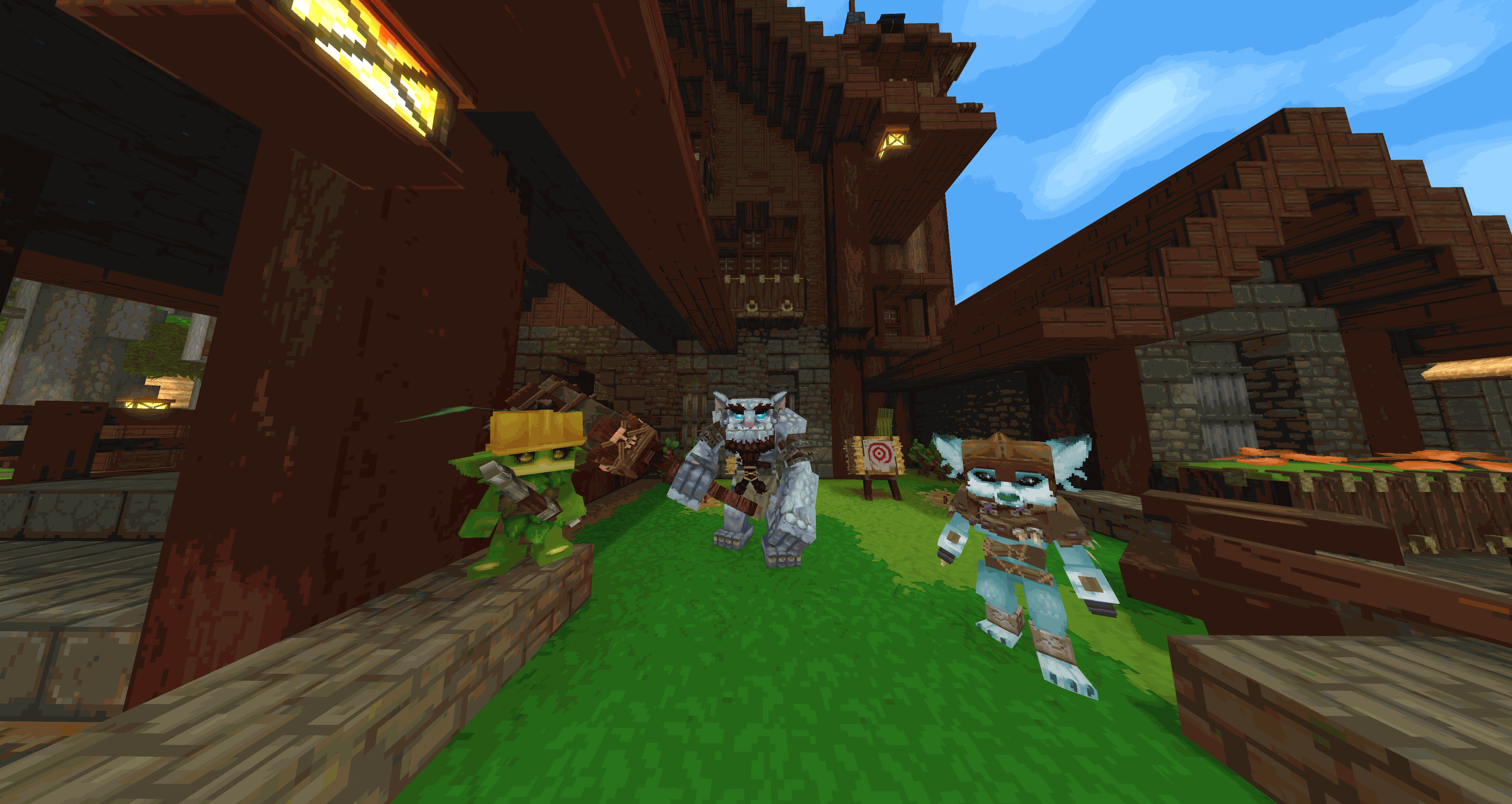
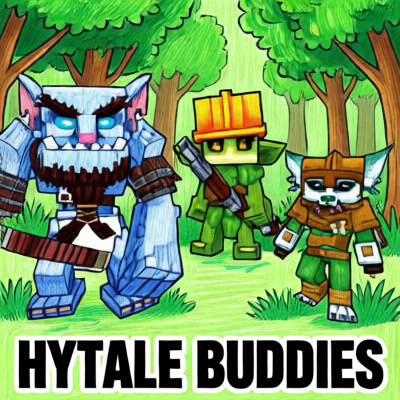
This Plugins add three Buddies to your adventure - they will follow you, fight with you and interact via sounds and chat (AI-featured through LLM).

Hytale Bud Plugin

Used template by Up, slightly modified by Kaupenjoe.
Inspired by MyFriends by LukeysMods.


๐ŸŒŸ Overview

This is a proof of concept (PoC) plugin for Hytale that integrates Large Language Models (LLM) to create truly interactive RPG-style companions. These "Buds" don't just follow youโ€”they talk, react to the world, and remember your battles.


Update information:

If you have an older version of the plugin, remove the /prompts folder or update it after you added an newer version with /bud prompt-reload.
For a robust cleanup of this plugin, you can delete the old plugin folder in your world's mods folder.

New in 1.7.0

  • Command Rework: Full rework to use command collection and subcommands.
  • More Fallbacks: Added more specific fallback messages for different interactions, such as block placement/breaking, item pickup/inventory view, and combat states (attacked/was attacked). This allows for more tailored responses even when LLM is disabled or fails.
  • Bud Respawn: Buds will now respawn after player login if they were previously broken, ensuring they are always present for interactions.
  • Bud Reaction To Teleport: Buds will now react to player teleportation, ensuring they are always present for interactions.
  • Bud Reaction To Player Chat: Buds will now react to player chat, ensuring they are always present for interactions. The reactions are only chat messages.

(See more changes in GitHub Repository in the CHANGELOG.md)

Quote of the release:

After hitting grass...
Gronkh:

Grass? Og Og-what's wrong with that fool, smashing tender things like flowers? Too weak for even my stone mace's respect.


Meet your Buddies

Veri

๐ŸฆŠ Veri

A Feran buddy who is a little childish, but extremely curious and friendly. Veri is agile and supports you in combat using daggers.

Veri travels with you to find the rare antidote for his sick Feran clan infected by strange disease from the toxic Skaraks.

Gronkh

๐Ÿ‘น Gronkh

A Trork buddy who might seem grumpy at first, but is fiercely loyal and strong. He's a powerhouse who supports you with a heavy mace.

Gronkh is on a mission to protect the northern tribe from the icy 'white wanderers' and is training to crush the undead forces threatening their lands.

Keyleth

๐Ÿƒ Keyleth

A Kweebec buddy who is highly intelligent but a bit shy. She prefers to keep her distance and supports you from afar with a bow.

Keyleth is on a quest to uncover ancient knowledge in lost temples. She wants to balance by connecting old temples to defeat Shadow Knight and the dark army.


๐Ÿš€ Features

๐Ÿค– Intelligent Interaction

  • Dynamic Modes: Toggle between Defensive (attacks), Passive (follows), and Sitting (stays put).
  • World Awareness: Buds send chat messages about current world information (zone, biome, time, weather) every few minutes.
  • Combat Interaction: Your companions react to your recent fights with context-aware dialogue.
  • Block Interaction: Your companions react to your recent block placements or block breaks.
  • Item Interaction: Your companions react to your recent item collections.
  • Weather Interaction: If weather changes, one of your companions will react to it with context-aware dialogue.
  • Mood System: Your Buds have moods that can change over time, influencing their dialogue and reactions. (Currently only changes randomly every 3 minutes)
  • Favorite Day: Each Bud has a favorite day of the week, and they will react overmotivated on that day.
  • Discover Zone Reaction: When you enter a new zone for the first time, your Buds will react to the discovery with unique dialogue based on the zone's characteristics.
  • Crafting Reaction: When you craft an item, your Buds will react to the crafting event, providing feedback based on the type of item crafted (e.g., tools, weapons, armor, etc.).
  • Player Chat Reaction: Buds can react to your chat messages. Mention one or more Bud names (e.g. "veri", "gronkh", "keyleth") to target them directly; without mention, one random Bud responds.

๐ŸŽฎ Commands

The plugin is primarily controlled via simple chat commands:

  • /bud - Shows all commands.

Creation Commands

  • /bud create - Creates all three Buddies (Veri, Gronkh, Keyleth) at once.
  • /bud create [--veri|--gronkh|--keyleth] - Target a specific buddy for spawning or teleportation.
  • /bud reset - Recreate all your buddies.

Deletion Commands

  • /bud delete - Deletes all three Buddies (Veri, Gronkh, Keyleth) at once.
  • /bud delete [--veri|--gronkh|--keyleth] - Deletes a specific buddy.
  • /bud delete --world - Deletes all buddies of all worlds.

State Commands

  • /bud state - Change the behavior mode for all active Buds to the next state.
  • /bud state --defensive - Change the behavior mode for all active Buds to Defensive.
  • /bud state --passive - Change the behavior mode for all active Buds to Passive.
  • /bud state --sitting - Change the behavior mode for all active Buds to Sitting.

Prompt Commands

  • /bud prompt - Reload missing LLM prompt configurations without restarting the server.
  • /bud prompt --reset - Reset all LLM prompt configurations to default (use with caution, backup your custom prompts first!).

Debug Commands

  • /bud debug - Shows the available debug flags.
  • /bud debug --componentData - Shows the current and persisted Bud data for the player in chat.
  • /bud debug --mood - Shows the current mood of each active Bud and their favorite day in chat.
  • /bud debug --weather - Shows the current weather in chat.
  • /bud debug --time - Shows the current time of day and day of week in chat.
  • /bud debug --world - Shows the current zone and biome in chat.

โš™๏ธ Configuration (LLM)

To enable the AI features, edit the LLM.json in your server's mod folder:

LLM Configuration

Setting Description Default
EnableLLM Toggle LLM features true
UsePlayer2API Toggle to use Player2 API for LLM
(EnableLLM must be true)
false
Url Your LLM API Endpoint v1/chat/completions
Model The AI model identifier mistralai/ministral-3-3b
ApiKey The API key for your LLM service not_needed
MaxTokens Limit the length of AI responses 100
Temperature Control randomness (0.0 - 1.0) 0.9

Reaction Configuration

Setting Description Default
EnableCombatReactions Enable or disable combat reaction messages true
EnableBlockReactions Enable or disable block reaction messages true
EnableItemReactions Enable or disable item reaction messages true
EnableDiscoverReactions Enable or disable discover reaction messages true
EnableCraftingReactions Enable or disable crafting reaction messages true
EnableWorldReactions Enable or disable world reaction messages true
WorldReactionPeriod Interval for world reaction messages (in seconds) 60L
EnableWeatherReactions Enable or disable weather reaction messages true
WeatherReactionPeriod Interval for weather reaction messages (in seconds) 5L
EnableMoodReactions Enable or disable mood reaction messages true
MoodReactionPeriod Interval for mood reaction messages (in seconds) 180L
EnablePlayerChatReactions Enable or disable player chat reaction messages true

Orchestration Configuration (Only change if needed for performance tuning)

Setting Description Default
OrchestratorGlobalCooldownMs Global cooldown for orchestrator actions (in milliseconds) 3000L
OrchestratorChannelCooldownMs Channel-specific cooldown for orchestrator actions (in milliseconds) 5000L
OrchestratorMaxQueueDepth Maximum queue depth for orchestrator actions 3
OrchestratorTickIntervalMs Tick interval for orchestrator actions (in milliseconds) 1000L

Debug Configuration

Setting Description Default
EnablePlayerInfo Log player information for debugging purposes false
EnableBudDebugInfo Log bud information for debugging purposes false
EnableMoodChangeDebugInfo Chat message mood change information for debugging purposes false

LLM Usage:

  • You can use your own local LLM Client (like LM Studio)
  • Or use an API provider like DeepSeek, Qwen, etc. Make sure to set the correct Url, Model, and ApiKey in the config.
  • Or use Player2 API support by enabling UsePlayer2API and following the Player2 API setup instructions.

๐Ÿง  Prompt Management

The LLM prompts are now stored in external YAML files located in the mod folder. This allows for easier editing and customization of NPC personalities without modifying the code. Each buddy has its own prompt file, and there are prompts for world interactions.

First time the server starts, the default prompts will be copied from the resources to the mod folder. You can then edit these files to customize the behavior and personality of your Buds.

Attention: The command /bud prompt-reload will overwrite the existing prompt files with the default ones from the resources. Make sure to backup your custom prompts before using this command.

โš ๏ธ LLM Performance Note (Reasoning Models)

If you are using Reasoning Models (e.g., DeepSeek-R1, Qwen-Reasoning):

  • Disable "Thinking": These models generate many <think> tokens which can cause delays or cut-off messages. It is recommended to use models without a "thinking" phase or to disable it in your API provider's settings.
  • Token Limit: If messages are cut off, increase MaxTokens in your config to at least 200.
  • Filter: The plugin automatically tries to filter <think> tags, but native "No-Thinking" models provide the best experience.

๐Ÿ› ๏ธ Development

Dev Workflow

  1. Initial Setup: .\gradlew decompileServer
  2. Build: .\gradlew build
  3. Run Server: .\gradlew runServer
  4. Auth Login: /auth login device
  5. Persist Login: /auth persistence Encrypted

๐Ÿ—บ๏ธ Roadmap

  • [x] 1.7.0: Bud reactions to player messages in chat (PlayerChatEvent).
  • [ ] 1.8.0: Memory storage: Keep memories of player and bud interactions.
  • [ ] 1.9.0: Item-based spawning instead of commands?
  • [ ] 2.0.0: Interactive world manipulation via LLM? Or try a "horde-wave"-event each wednesday and saturday evening (Horde mobs spawn in near of player, is attracted to player)?

Known Issues

  • After player teleport, buds are often broken and are "invisible". Workaround: Use "/bud" or "/bud reset" command to respawn them.

๐Ÿ“œ History

For a detailed list of all changes and version history, please see the CHANGELOG.md.

"This mod will also work without LLM, but the main goal is to have interactive buddies."

Created with โค๏ธ for the Hytale Community

๐Ÿ“ธGallery

team.png
team.png
BudPlugin - Buddies for your adventure! - Hytale Mod | Hytale Wiki