 Utility
 Gameplay
 Quality of Life
HyGuard
HyGuard is a Hytale server protection mod focused on cuboid regions, server-owned and player-owned claims, world-scoped fallback protection through __global__, JSON persistence, offline player lookup, scheduled backups, runtime asset-pack bootstrapping, and in-game management through commands and InteractiveCustomUIPage screens.
The current release line is 1.0.9. Build output is build/libs/HyGuard-1.0.9.jar.
Requirements
- Hytale Server
2026.03.26-89796e57bor newer - Java 25
- Gradle wrapper from this project
- Hytale
Assets.zipavailable for ScaffoldIt-based resource processing
Expected asset archive in this workspace:
d:/MyHytaleMod/Hytale-API/latest/Assets.zip
On Windows, run Gradle through cmd.exe with call gradlew.bat ....
What HyGuard Does
- Protects cuboid regions against block break, block place, block interact, PvP, player damage, fall damage, mob damage to players, item drop, and item pickup
- Handles region entry and exit, including entry deny messaging, enter/leave greeting text, and role-restricted entry through
ENTRY_PLAYERS - Supports invincibility, enforced game mode, and region-based fly state
- Lets players manage regions through commands and in-game UI pages
- Stores region data and offline player name lookups on disk with async writes
- Creates scheduled and manual backups with retention pruning
- Boots a runtime HyGuard asset pack into the world save so item assets, icons, and localization are available without mixing persistent data into the asset-pack folder
Ownership Model
HyGuard now has three practical region types.
| Type | How It Is Created | Owner Display | Management Model | Notes |
|---|---|---|---|---|
| Player-owned cuboid | /hg create <name> |
Creator name | Owner, co-owner, manager, or admin | Counts toward limits.maxRegionsPerPlayer for non-admin players. |
| Server-owned cuboid | /hg create <name> --server |
Server |
Admin-managed | Admin-only creation. Not counted against a player's personal region limit. |
| World-scoped global fallback | /hg create __global__ |
Server |
Admin-managed | One per world. Covers the whole current world and acts as a fallback region. |
Important behavior:
__global__is world-scoped, not server-wide across all worlds.- If you want fallback rules in multiple worlds, create
__global__separately while standing in each world. - Global regions do not use cuboid bounds and cannot be loaded into two-point selection or redefined from selection.
- Server-owned cuboid regions are intended for staff/server infrastructure claims rather than personal ownership.
Runtime Layout
At runtime HyGuard separates asset-pack content from persistent data:
- Runtime asset pack:
mods/thenexusgates_HyGuard - Persistent data:
mods/thenexusgates_HyGuardData
That split exists to avoid conflicts between Hytale's asset-pack loading expectations and HyGuard's JSON data storage.
What goes into the data directory:
config.jsonregions/players/backups/
What goes into the runtime asset-pack directory:
manifest.jsonCommon/Server/
If older HyGuard data exists inside the asset-pack folder, HyGuard migrates the known data entries into the dedicated data directory on startup.
Core Features
Selection And Claiming
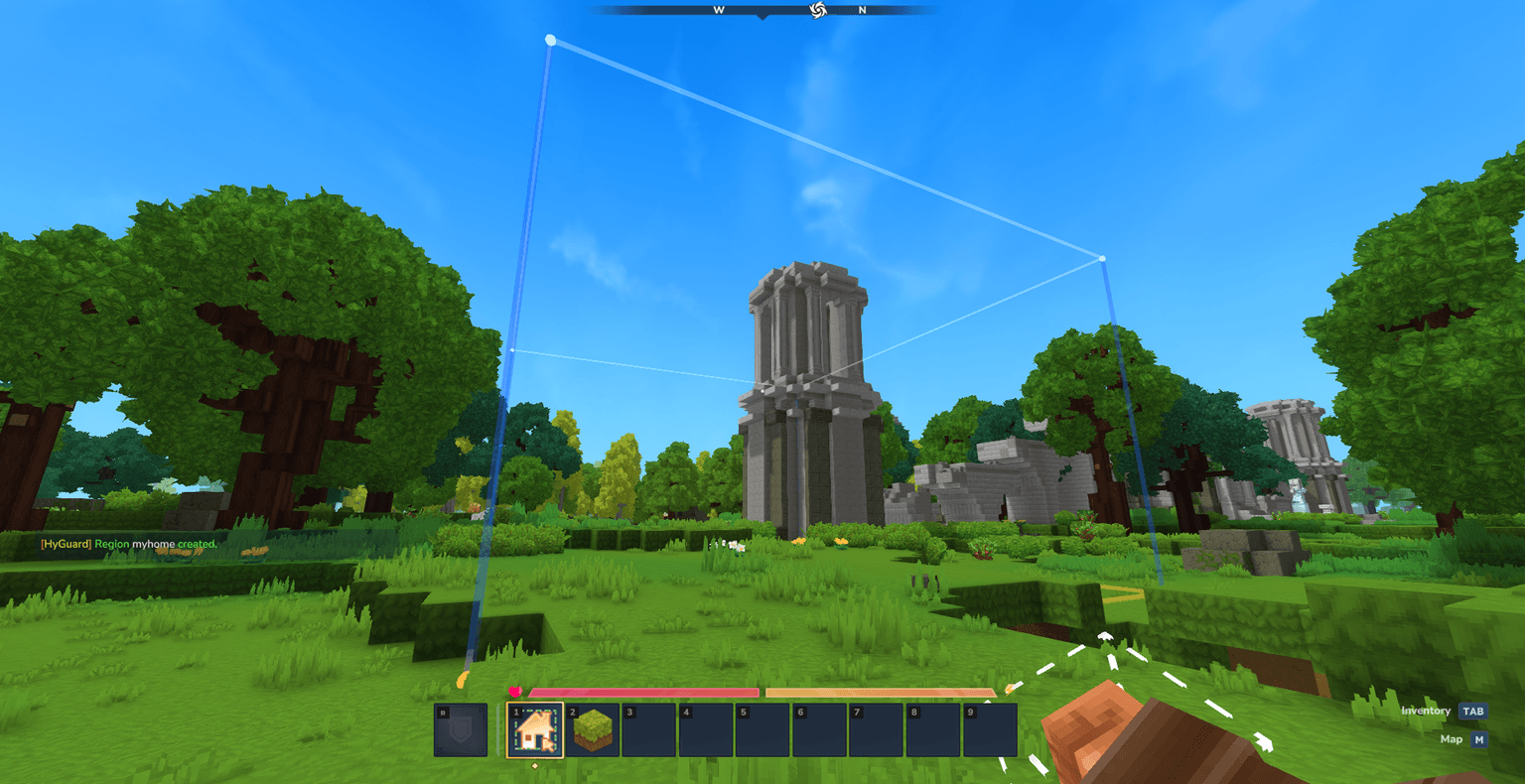
- Wand-based selection using
HyGuard_Wand - Left click cycling between selection point 1 and point 2
/hg select,/hg redefine,/hg expand,/hg contract, and/hg shift- Native selection overlay with particle fallback
- Shared scheduled redraw task instead of one repeating task per player
Region Management
- Region creation and delete confirmation flow
- Priority control for overlap resolution
- Per-region spawn point storage
- Teleport to region spawn or center
- Region browser, detail, member manager, and flag editor UI pages
Membership And Roles
- Online and offline player lookup for member management
- Roles:
OWNER,CO_OWNER,MANAGER,MEMBER,TRUSTED,VISITOR - Region member list pagination
- Replace confirmation for existing members
- Configurable max members per region
Protection Engine
- Action-based evaluation against sorted applicable regions
- Admin and bypass short-circuit support
- Default protection values from config for the main block actions
- Role-aware flag modes including
ALLOW_MEMBERSandALLOW_TRUSTED
Quality Of Life
- Localized chat text and item localization for
en-USanduk-UA - Configurable sound cues for selection, success, deletion, and member changes
- Async JSON writes with temp-file writes and atomic move fallback
- Manual and scheduled backups with retention
Commands
| Command | Purpose | Notes |
|---|---|---|
/hg wand |
Give the HyGuard wand item. | Requires wand permission. |
/hg create <name> |
Create a player-owned cuboid from the current selection. | Uses the caller as owner. |
/hg create <name> --server |
Create a server-owned cuboid from the current selection. | Admin-only behavior. |
/hg create __global__ |
Create the current world's fallback global region. | Admin-only. Server-owned. One per world name. |
/hg delete <name> --confirm |
Delete a region. | Requires management access. |
/hg info [name] |
Show region info for the current region or a named region. | Global regions show global bounds. |
/hg list |
List regions in the current world. | World-scoped. |
/hg select <name> |
Load a cuboid region into your selection. | Global regions cannot be selected into a cuboid session. |
/hg redefine <name> |
Replace a cuboid region's bounds with your current selection. | Global regions are excluded. |
/hg expand <dir> <amount> |
Expand the current selection. | Max size change is configurable. |
/hg contract <dir> <amount> |
Contract the current selection. | Max size change is configurable. |
/hg shift <dir> <amount> |
Move the current selection without resizing it. | Max size change is configurable. |
/hg priority <name> <value> |
Set region priority. | Maximum is configurable. |
/hg flag <name> <flag> <value|clear> [text] |
Set or clear a flag value. | Supports text-backed flags. |
/hg flags <name> [page] |
Show all flags on a region. | Paged output. |
/hg member add <region> <player> [role] [--confirm] |
Add or replace a member. | Offline name cache is supported. |
/hg member remove <region> <player> |
Remove a member. | Owner cannot be removed. |
/hg member role <region> <player> <role> |
Change an existing member's role. | Owner role cannot be assigned this way. |
/hg member list <region> [page] |
List region members. | Paged output. |
/hg tp <name> |
Teleport to a region. | Uses stored spawn point if present. |
/hg setspawn <name> |
Save your current position as region spawn. | Global regions can also have a spawn point. |
/hg gui [name] |
Open the browser or a direct detail page. | In-game UI flow. |
/hg backup |
Create a manual backup. | Admin-focused command. |
/hg debug pos |
Print regions and active flags at your position. | Admin-focused command. |
/hg bypass |
Toggle bypass mode. | Uses bypass permission. |
/hg save |
Flush pending region writes. | Admin-focused command. |
/hg reload |
Reload config and region cache. | Admin-focused command. |
/hg help [topic|page] |
Show paged help. | Localized help text. |
GUI Pages
Region Browser
- Lists regions in the current world
- Opens region detail pages
- Intended as the main staff/player browse entry point
Region Detail
- Shows region name, owner, world, bounds, member count, priority, hierarchy, and spawn state
- Supports teleport, select, set spawn, and delete actions when allowed
- Treats global regions as whole-world fallback entries rather than cuboids
Member Manager
- Lists owner and members in a dedicated panel
- Supports add, remove, and role changes
- Uses offline player cache when target players are not online
Flag Editor
- Lists all
RegionFlagentries - Supports explicit set and clear flows
- Reuses command-side region management rules
Permissions
HyGuard has three umbrella nodes and a wider set of command-specific configurable nodes.
Umbrella Nodes
| Node | Default Meaning |
|---|---|
hyguard.use |
Base access to HyGuard player commands and normal region operations |
hyguard.admin |
Admin access, including global/server claims, backup, debug, save, reload, and management override |
hyguard.bypass |
Access to bypass toggle |
Configurable Command Nodes
These keys live under general in config.json.
| Config Key | Default |
|---|---|
usePermission |
hyguard.use |
adminPermission |
hyguard.admin |
bypassPermission |
hyguard.bypass |
wandPermission |
hyguard.use |
infoPermission |
hyguard.use |
listPermission |
hyguard.use |
selectPermission |
hyguard.use |
createPermission |
hyguard.use |
redefinePermission |
hyguard.use |
deletePermission |
hyguard.use |
selectionEditPermission |
hyguard.use |
priorityPermission |
hyguard.use |
flagsViewPermission |
hyguard.use |
flagEditPermission |
hyguard.use |
memberPermission |
hyguard.use |
teleportPermission |
hyguard.use |
setSpawnPermission |
hyguard.use |
guiPermission |
hyguard.use |
backupPermission |
hyguard.admin |
debugPermission |
hyguard.admin |
savePermission |
hyguard.admin |
reloadPermission |
hyguard.admin |
bypassTogglePermission |
hyguard.bypass |
Configuration Sections
general
- Wand item id
- Permission node mapping
- Automatic backup interval
- Maximum retained backups
chat
- Chat prefix formatting used by HyGuard localized message rendering
limits
- Minimum and maximum region name length
- Region name regex pattern
- Maximum priority
- Maximum selection edit amount
- Maximum player-owned regions per player
- Maximum members per region
sounds
- Global enable/disable
- Configurable sound candidate lists for selection, success, delete, member add, and member remove cues
defaults
- Default mode for
BLOCK_BREAK - Default mode for
BLOCK_PLACE - Default mode for
BLOCK_INTERACT
Region Roles
| Role | Meaning |
|---|---|
OWNER |
Region owner. Not assignable through member commands. |
CO_OWNER |
Full co-management of members and region settings. |
MANAGER |
Can manage most region settings but not ownership transfer. |
MEMBER |
Standard allowed member role. |
TRUSTED |
Trusted tier used by ALLOW_TRUSTED rules. |
VISITOR |
Explicitly tracked limited role. |
Region Flag Coverage
| Flag | Status | Notes |
|---|---|---|
BLOCK_BREAK |
Implemented | Enforced in break protection. |
BLOCK_PLACE |
Implemented | Enforced in place protection. |
BLOCK_INTERACT |
Implemented | Enforced in use/interact protection. |
BLOCK_TRAMPLE |
Stored only | No dedicated runtime hook yet. |
BLOCK_DECAY |
NO_API |
No confirmed public natural decay event hook. |
BLOCK_SPREAD |
NO_API |
No confirmed public natural spread event hook. |
BLOCK_FADE |
NO_API |
No confirmed public block fade event hook. |
BLOCK_FORM |
NO_API |
No confirmed public block form event hook. |
PVP |
Implemented | Enforced through player damage handling. |
PLAYER_DAMAGE |
Implemented | Enforced through player damage handling. |
PLAYER_FALL_DAMAGE |
Implemented | Enforced through damage cause checks. |
PLAYER_HUNGER |
Stored only | No public hunger handler implemented here. |
PLAYER_ITEM_DROP |
Implemented | Enforced through item drop handling. |
PLAYER_ITEM_PICKUP |
Implemented | Enforced through item pickup handling. |
INTERACT_INVENTORY |
Stored only | No dedicated runtime inventory hook yet. |
MOB_DAMAGE_PLAYERS |
Implemented | Enforced through damage source checks. |
MOB_SPAWN |
NO_API |
No confirmed public mob-spawn interception hook. |
MOB_SPAWN_HOSTILE |
NO_API |
Same limitation as MOB_SPAWN. |
MOB_SPAWN_PASSIVE |
NO_API |
Same limitation as MOB_SPAWN. |
MOB_DAMAGE_BLOCKS |
NO_API |
No confirmed public mob block-damage hook. |
MOB_GRIEF |
NO_API |
No confirmed public grief hook. |
ANIMAL_DAMAGE |
Stored only | No dedicated animal-damage path yet. |
FIRE_SPREAD |
NO_API |
No confirmed public fire-spread event hook. |
TNT |
NO_API |
No confirmed public TNT/explosion hook. |
EXPLOSION |
NO_API |
No confirmed public explosion hook. |
EXPLOSION_BLOCK_DAMAGE |
NO_API |
No confirmed public explosion block-damage hook. |
LIQUID_FLOW |
NO_API |
No confirmed public fluid-flow hook. |
LIGHTNING |
Stored only | No dedicated lightning handler yet. |
ENTRY |
Implemented | Enforced in PlayerMoveSystem. |
EXIT |
Implemented | Enforced in PlayerMoveSystem. |
ENTRY_DENY_MESSAGE |
Implemented | Used for entry deny feedback. |
EXIT_DENY_MESSAGE |
Implemented | Used for exit deny feedback. |
GREET_MESSAGE |
Implemented | Used on successful entry. |
FAREWELL_MESSAGE |
Implemented | Used on successful exit. |
ENTRY_PLAYERS |
Implemented | Restricts entry by role before finalizing entry. |
INVINCIBLE |
Implemented | Cancels damage before other damage checks. |
GAME_MODE |
Implemented | Applies configured game mode state. |
WEATHER_LOCK |
Stored only | No world weather runtime handler yet. |
TIME_LOCK |
Stored only | No world time runtime handler yet. |
FLY |
Implemented | Applies fly state through player movement/state updates. |
SPAWN_LOCATION |
Stored only | Region spawn uses region.spawnPoint, not a dedicated runtime flag hook. |
Storage, Persistence, And Backups
- Regions are saved under the HyGuard data directory in per-world JSON files
- Offline player lookup entries are saved per player in
players/ - Writes are asynchronous on a single-thread save executor
- Temp-file writes attempt
ATOMIC_MOVEfirst and fall back to replace move with warning logging if needed - Corrupt JSON inputs are skipped with warnings rather than crashing startup
- Manual backups and scheduled backups copy region data into timestamped folders
- Automatic backups can be disabled with
general.autoBackupIntervalMinutes = 0
Localization And Assets
- Chat/help localization bundles exist for
en-USanduk-UA - Item localization for the HyGuard wand is provided through
items.lang - Wand rendering uses item-model-style runtime assets rather than relying on persistent data directories
- The runtime asset pack is registered on startup and enabled in the world config when available
Build And Packaging
Typical commands:
call gradlew.bat compileJava
call gradlew.bat clean build
Expected artifact:
build/libs/HyGuard-1.0.9.jar
Manifest version and Gradle jar naming are aligned to 1.0.9.
Typical Admin Workflows
Create A Personal Region
- Get the wand with
/hg wand. - Set two selection points.
- Run
/hg create myclaim.
Create A Server-Owned Staff Region
- Make the cuboid selection.
- Run
/hg create spawn --server. - Manage flags/members as admin from commands or GUI.
Create A World Fallback Region
- Stand in the target world.
- Run
/hg create __global__. - Configure fallback flags for that world.
- Repeat in other worlds if they also need a fallback region.
Known Limits
- Public Hytale APIs still do not expose stable hooks for several environmental systems such as natural block updates, explosions, and general mob spawning, so those flags remain
NO_APIor stored-only. - Exact per-particle tint control was not confirmed on the public particle API, so HyGuard uses verified public particle/system assets instead of arbitrary RGB tinting.
- Global regions intentionally do not support cuboid selection editing.