
 Mobs\Characters
 Utility
 Miscellaneous
 Quality of Life
Hycompanion Plugin
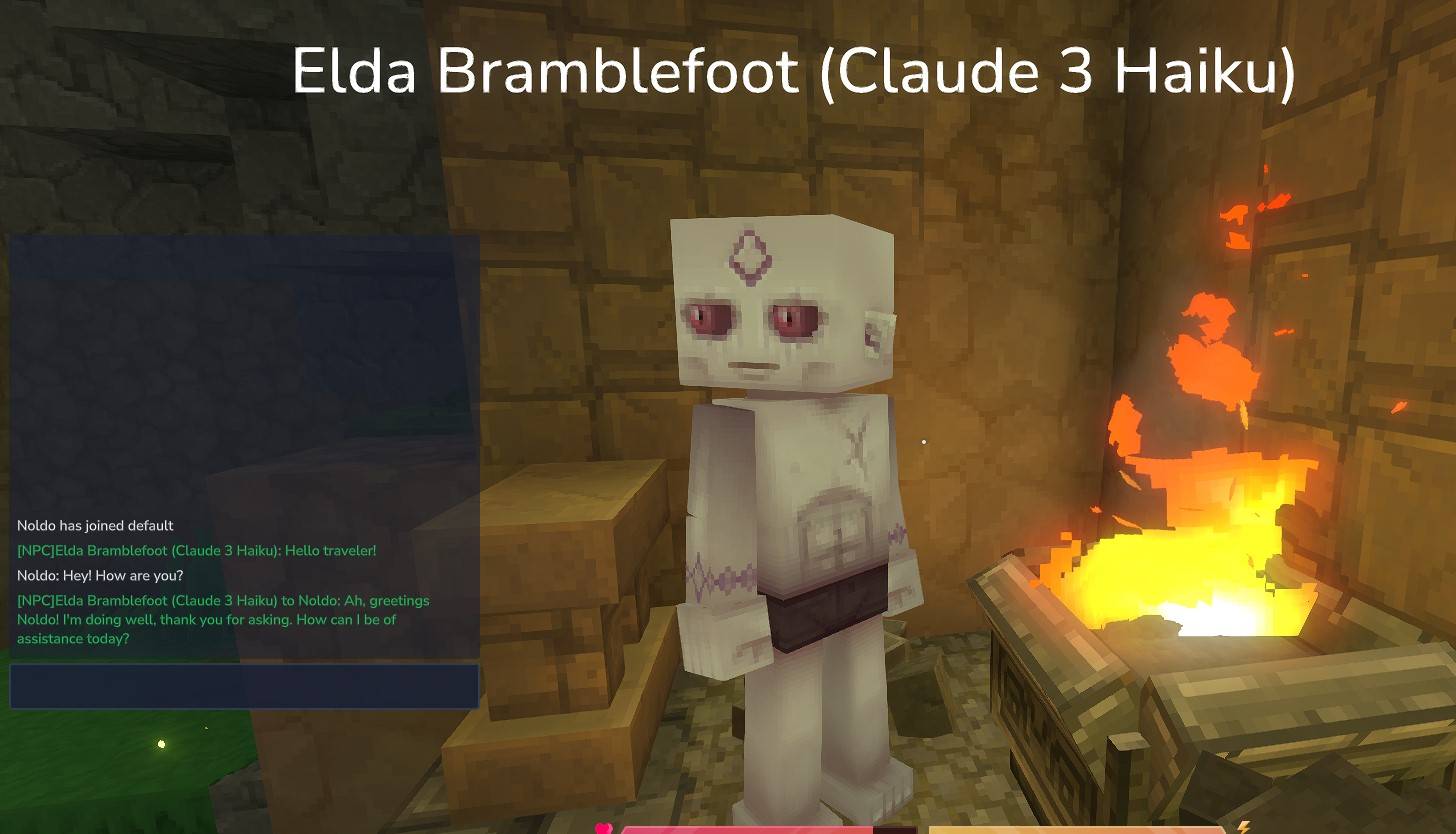
AI-powered NPC companion system for Hytale servers



Overview
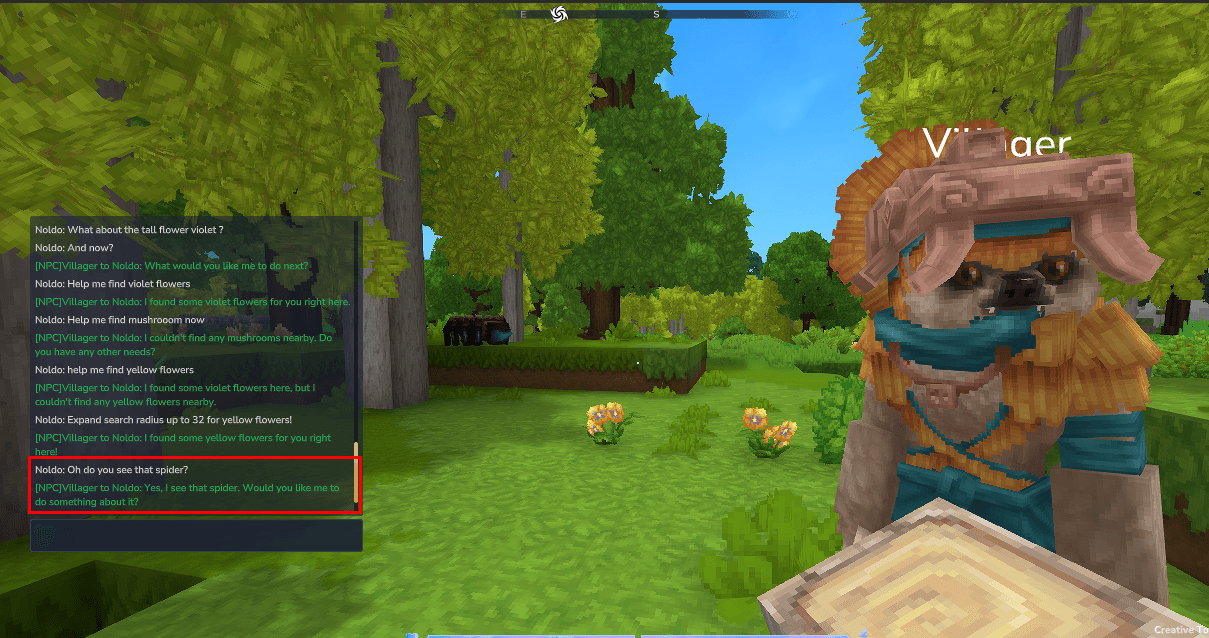
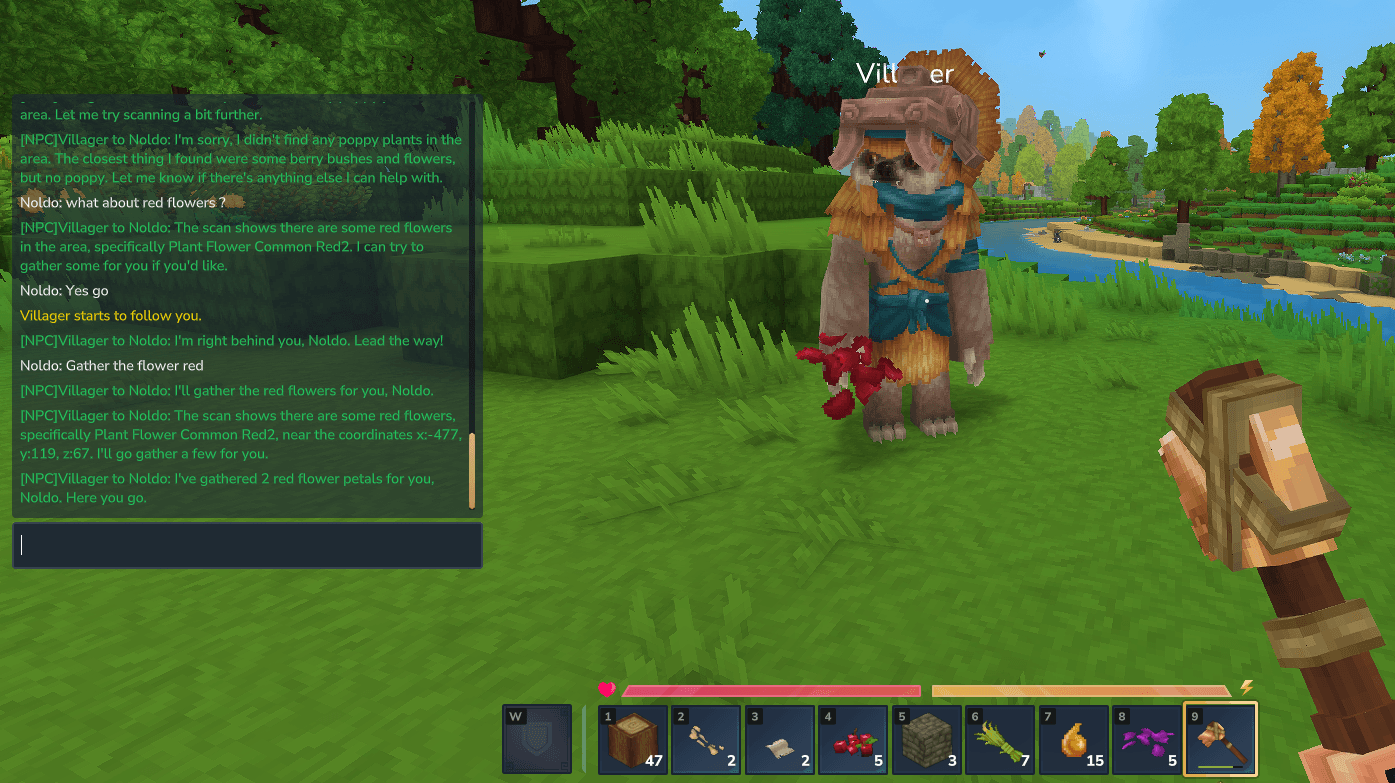
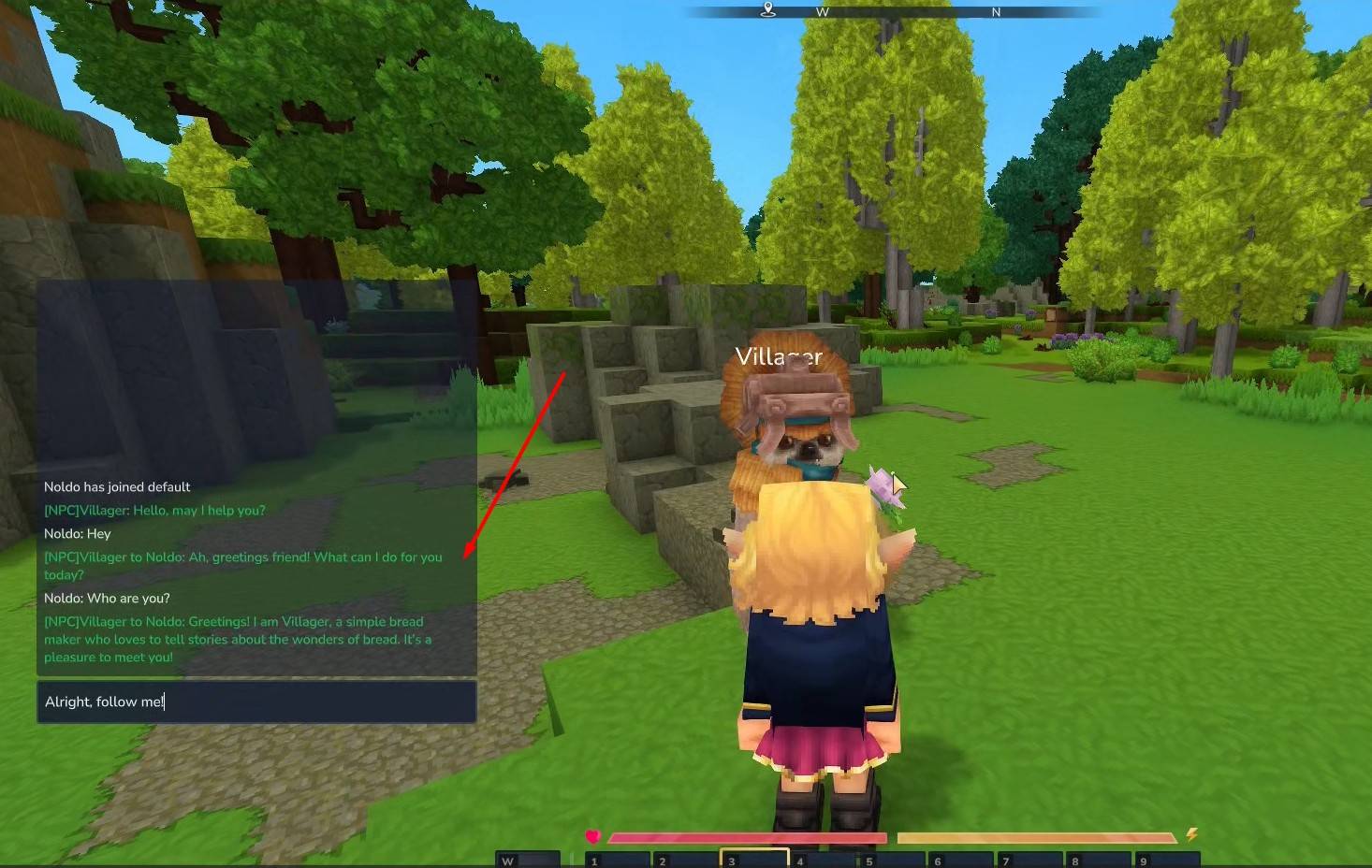
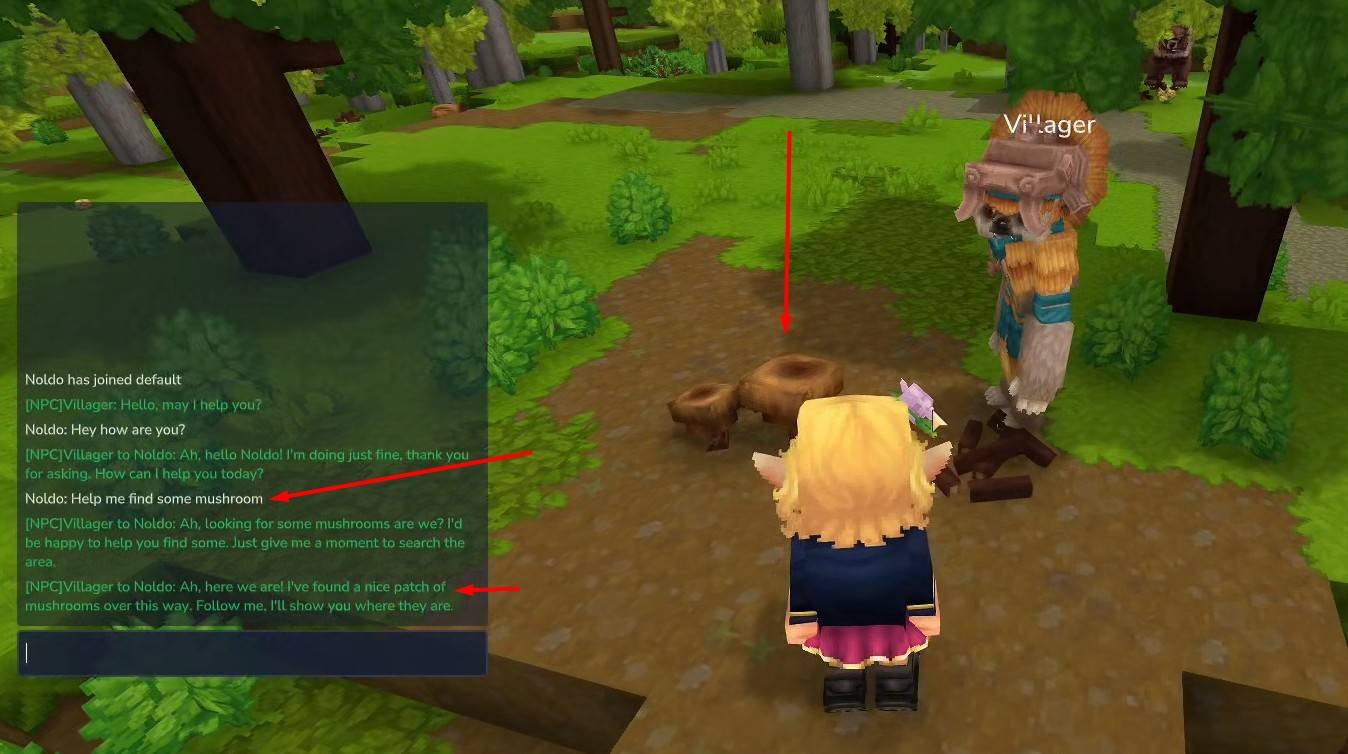
The Hycompanion Plugin is the client-side bridge that connects a Hytale server to the Hycompanion Cloud Backend. It acts as a lightweight relay, forwarding player interactions to the cloud and executing AI-driven actions in the game world.
This plugin was developed over a two-week period using a rapid, experimental workflow and manually reviewed. Some code optimization and dead code cleanup remain. The purpose of this plugin is to experiment with and integrate MCP and LLM technologies. The backend code will be published in the coming days. The author is not responsible for any content generated by user-created NPCs.
Sponsors

Premium Hytale server hosting with enterprise DDoS protection.
Features
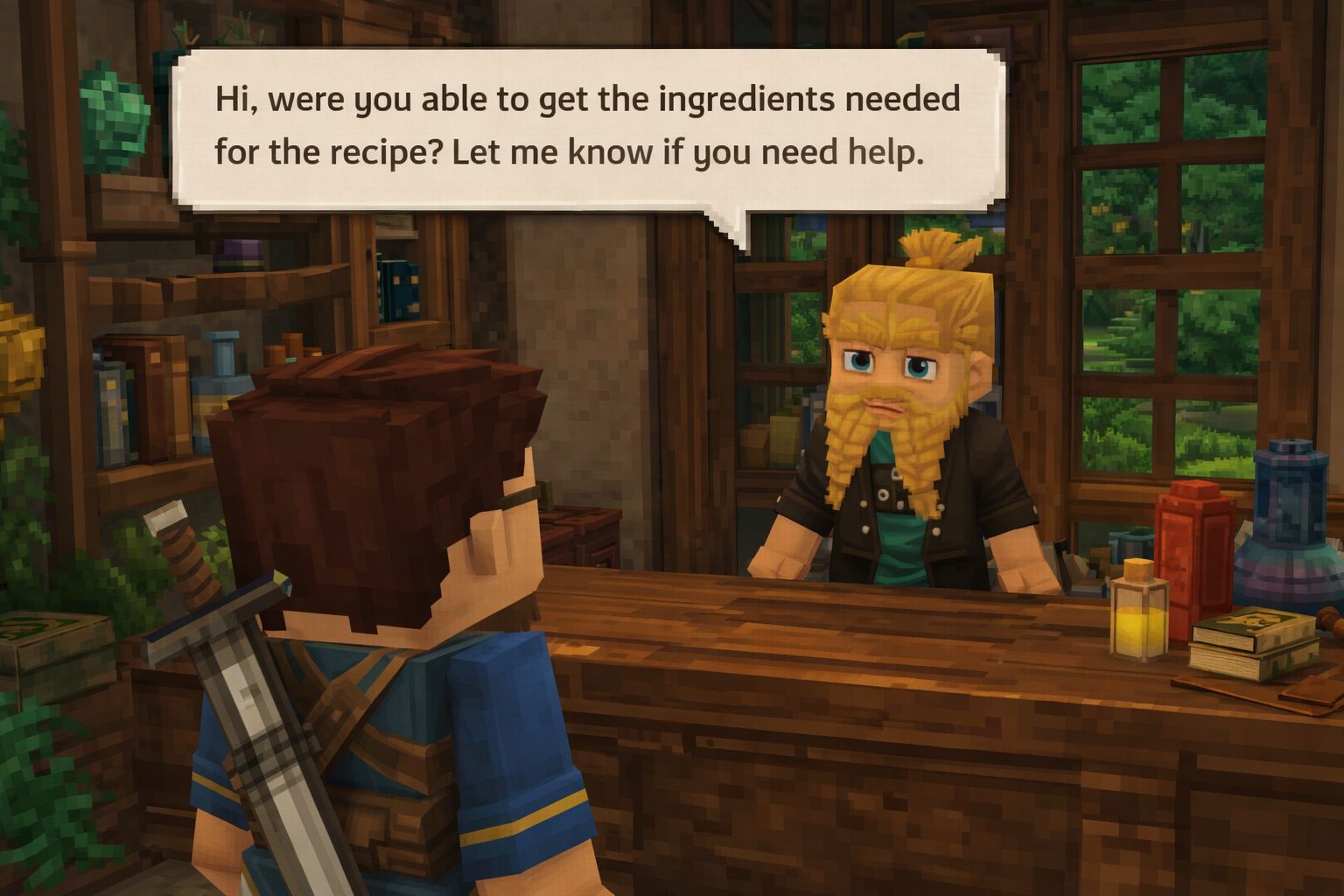
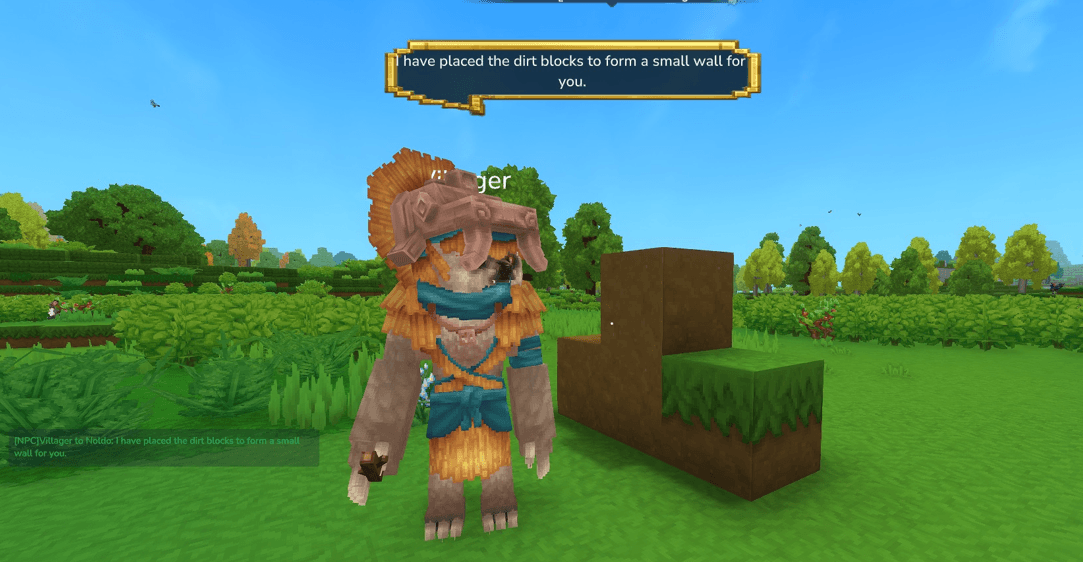
- 🤖 AI-Powered NPCs - NPCs with persistent memory and contextual responses
- 💬 Natural Conversation - Players can chat naturally with NPCs
- 🎭 Emotes & Actions - NPCs express emotions and perform in-game actions
- 📦 Trade Support - NPCs can open trade interfaces
- 🗺️ Quest System - NPCs can offer quests to players
- 🔄 Real-time Sync - NPC configurations synced from admin dashboard
Requirements
- Java 25.0.1 LTS (OpenJDK Temurin) - Download from Adoptium
- Maven 3.9+
- Hytale Server
- Hycompanion Cloud account (Get one here)
Verify Java Installation
java --version
Expected output:
openjdk 25.0.1 2025-10-21 LTS
OpenJDK Runtime Environment Temurin-25.0.1+8 (build 25.0.1+8-LTS)
OpenJDK 64-Bit Server VM Temurin-25.0.1+8 (build 25.0.1+8-LTS, mixed mode)
Installation
1. Download
Get the latest JAR from Releases or build from source.
2. Build from Source
Prerequisites
- Java 25 (OpenJDK Temurin)
- Maven 3.9+
- (Optional) Sentry account for error tracking
Clone and Build
# Clone the repository
git clone https://github.com/hycompanion/hycompanion-plugin.git
cd hycompanion-plugin

# Copy environment template and configure
cp .env.example .env
# Edit .env with your settings (see Configuration section below)

# Build with Maven
mvn clean package

# Or use the provided Windows batch script
compile-plugin.bat
The compiled JAR will be in target/hycompanion-plugin-1.1.0-SNAPSHOT-jar-with-dependencies.jar.
3. Install
- Copy the JAR to your Hytale server's
plugins/folder - Start the server to generate config files
- Edit
plugins/Hycompanion/config.ymlwith your API key - Restart the server
Configuration
Environment Variables
Create a .env file in the project root (copy from .env.example):
cp .env.example .env
| Variable | Required | Description |
|---|---|---|
SENTRY_DSN |
Optional | Sentry DSN for error tracking. Get from https://sentry.io/settings/projects/ |
SENTRY_AUTH_TOKEN |
Optional | Auth token for uploading source maps during build |
Note: The .env file is gitignored by default. Never commit it to version control!
Sentry Properties (Optional)
For runtime Sentry configuration, you can also create sentry.properties:
cp sentry.properties.example sentry.properties
This is an alternative to the SENTRY_DSN environment variable. If both are set, the environment variable takes precedence.
config.yml
# Connection Settings
connection:
  url: "https://api.hycompanion.dev"  # or http://localhost:3000 for dev
  api_key: "YOUR_SERVER_API_KEY"       # Get from https://app.hycompanion.dev
  reconnect_enabled: true
  reconnect_delay_ms: 5000

# Gameplay Settings
gameplay:
  debug_mode: false     # Enable debug logging
  emotes_enabled: true  # Enable NPC animations
  message_prefix: "[NPC] "

# NPC Settings
npc:
  cache_directory: "data/npcs"
  sync_on_startup: true

# Logging
logging:
  level: "INFO"
  log_chat: true
  log_actions: true
Commands
| Command | Permission | Description |
|---|---|---|
/hycompanion register <key> |
hycompanion.command.register |
Set the Hycompanion API key |
/hycompanion status |
hycompanion.status |
Show connection status |
/hycompanion sync |
hycompanion.sync |
Force NPC sync from backend |
/hycompanion rediscover |
hycompanion.admin |
Re-scan world for NPC entities |
/hycompanion list |
hycompanion.admin |
List all loaded NPCs |
/hycompanion spawn <npc-id> |
hycompanion.admin |
Spawn an NPC at your location |
/hycompanion despawn <id> |
hycompanion.admin |
Remove an NPC from the world |
/hycompanion despawn <id>:nearest |
hycompanion.admin |
Remove nearest NPC by external ID |
/hycompanion tphere <npc-uuid> |
hycompanion.admin |
Teleport an NPC to your location |
/hycompanion tpto <npc-uuid> |
hycompanion.admin |
Teleport yourself to an NPC |
/hycompanion help |
(none) | Show all available commands |
Aliases: /hyc, /hc (all commands work with aliases)
Architecture
┌─────────────────┐         ┌──────────────────┐         ┌─────────────────┐
│   Hytale Game   │◄───────►│   Hycompanion    │◄───────►│    Backend      │
│     Server      │         │     Plugin       │         │   Socket.IO     │
│                 │ Events  │                  │  JSON   │                 │
│  - Chat Events  │────────►│  - ChatHandler   │────────►│  - LLM (GPT)    │
│  - NPC Entities │◄────────│  - ActionExec    │◄────────│  - Memory       │
│  - Trade/Quest  │ Actions │  - NpcManager    │ Actions │  - MCP Tools    │
└─────────────────┘         └──────────────────┘         └─────────────────┘
Socket Events
Plugin → Backend
| Event | Payload | Description |
|---|---|---|
plugin:connect |
{ apiKey, serverInfo: { version, playerCount } } |
Authentication handshake |
plugin:chat |
{ npcId, npcInstanceUuid?, playerId, playerName, message, context } |
Player chat to NPC |
plugin:request_sync |
{} |
Request full NPC list sync |
plugin:npc_animations |
{ npcId, animations: string[] } |
Report available NPC animations |
plugin:blocks_available |
{ blocks: BlockInfo[], totalCount, materialStats } |
Report server block catalog |
Backend → Plugin
| Event | Payload | Description |
|---|---|---|
backend:action |
{ npcInstanceUuid, playerId, action, params } |
MCP tool execution request |
backend:npc_sync |
{ action: 'create'|'update'|'delete'|'bulk_create', npc|npcs } |
NPC configuration sync |
backend:error |
{ code, message, npcInstanceUuid?, playerId? } |
Error notification |
backend:cot_update |
{ type, npcInstanceUuid, message?, toolName? } |
Chain-of-thought status (thinking indicators) |
Development
Project Structure
.
├── .env.example                 # Environment variables template
├── compile-plugin.bat           # Windows build script
├── pom.xml                      # Maven configuration
├── README.md                    # This file
└── src/main/java/dev/hycompanion/plugin/
    ├── HycompanionEntrypoint.java  # Hytale Server entry point
    ├── HycompanionPlugin.java      # Standalone entry point
    ├── api/                        # Hytale API abstraction
    │   ├── HytaleAPI.java
    │   ├── GamePlayer.java
    │   ├── Location.java
    │   └── ServerInfo.java
    ├── adapter/                    # API implementations
    │   ├── HytaleServerAdapter.java # Real Hytale Server API
    │   └── MockHytaleAdapter.java   # Mock for testing
    ├── config/                     # Configuration
    │   ├── PluginConfig.java
    │   └── NpcConfigManager.java
    ├── core/
    │   ├── context/                # World context
    │   │   ├── ContextBuilder.java
    │   │   └── WorldContext.java
    │   ├── npc/                    # NPC management
    │   │   ├── NpcData.java
    │   │   ├── NpcGreetingService.java
    │   │   ├── NpcInstanceData.java
    │   │   ├── NpcManager.java
    │   │   ├── NpcMoveResult.java
    │   │   └── NpcSearchResult.java
    │   └── world/                  # World/block utilities
    │       ├── BlockClassifier.java
    │       └── BlockInfo.java
    ├── handlers/                   # Event handlers
    │   ├── ActionExecutor.java
    │   └── ChatHandler.java
    ├── network/                    # Socket.IO networking
    │   ├── SocketEvents.java
    │   ├── SocketManager.java
    │   └── payload/                # DTOs
    ├── commands/                   # Commands
    │   └── HycompanionCommand.java
    ├── role/                       # NPC role generation
    │   └── RoleGenerator.java
    ├── shutdown/                   # Graceful shutdown
    │   └── ShutdownManager.java
    ├── systems/                    # ECS systems
    │   └── NpcRespawnSystem.java
    └── utils/                      # Utilities
        └── PluginLogger.java
Running Standalone (Testing)
# Run without a Hytale server for testing socket connection
java --enable-preview -jar target/hycompanion-plugin-1.1.0-SNAPSHOT-jar-with-dependencies.jar
Self-Hosting
Both the plugin and backend are MIT licensed. You have complete freedom to:
- ✅ Use the plugin on your Hytale server
- ✅ Self-host the backend API
- ✅ Modify and redistribute
- ✅ Use commercially
Quick Start (Self-Hosted)
# 1. Clone and start the backend
git clone https://github.com/hycompanion/hycompanion-backend.git
cd hycompanion-backend
# Follow backend README for setup

# 2. Configure plugin to use your backend
# Edit plugins/Hycompanion/config.yml:
#   url: "http://localhost:3000"  # Your backend URL
Why Use Managed Hosting?
While self-hosting is free, our managed service at hycompanion.dev offers:
- Zero maintenance - We handle updates and scaling
- Managed LLM costs - No API key management
- Priority support - Direct help from the team
- Automatic backups - Your NPC data is safe
Choose what works best for you!
Error Tracking (Optional)
This plugin supports Sentry for automatic error tracking and performance monitoring.
Setup
- Create a free account at sentry.io
- Create a new project for "Hycompanion Plugin"
- Copy your DSN from the project settings
- Add to your
.envfile:SENTRY_DSN=https://[email protected]/zzz SENTRY_AUTH_TOKEN=your_auth_token_here
What Gets Tracked
- Uncaught exceptions in the plugin
- Socket connection errors
- NPC action failures
- Performance metrics (traces)
Privacy Note
Error reports may include:
- Stack traces from the plugin code
- Server version and plugin version
- NPC IDs (not player data)
No player chat messages or personal data is sent to Sentry.
Troubleshooting
Connection Issues
- Verify your API key in
config.ymlor setHYCOMPANION_API_KEYin.env - Check if backend is reachable:
curl https://api.hycompanion.dev/health(or you own backend) - Enable debug mode for detailed logs: set
DEBUG_MODE=truein.env - Check firewall settings for WebSocket connections
NPCs Not Responding
- Ensure NPCs are created in the admin dashboard
- Run
/hycompanion syncto force refresh - Verify player is within chat range of NPC
- Check console for error messages
Build Issues
Sentry source upload fails:
- Ensure
SENTRY_AUTH_TOKENis set in your.envfile - Or comment out the Sentry plugin in
pom.xmlif you don't need error tracking
Java version errors:
- Verify Java 25 is installed:
java --version - Ensure
JAVA_HOMEpoints to Java 25 incompile-plugin.bat
License
MIT License - see LICENSE for details.
Links
- 🌐 Website
- 📊 Admin Dashboard
- 📚 Documentation
- 💬 Discord
Made with ❤️ by Noldo (https://noldo.fr)