 Utility
 Quality of Life
 Gameplay
EasySafeZone
EasySafeZone is a robust, standalone SafeZone management plugin designed for Hytale servers. It allows server administrators to easily define, manage, and enforce 3D regions where player-vs-player (PVP) combat and damage are disabled, creating safe havens for players. Additionally you can disable placement, breaking and usage (e.g. torches) of Blocks.
Features
- Builder Tools Integration: Create and update zones using Hytale's native Builder Tools selection.
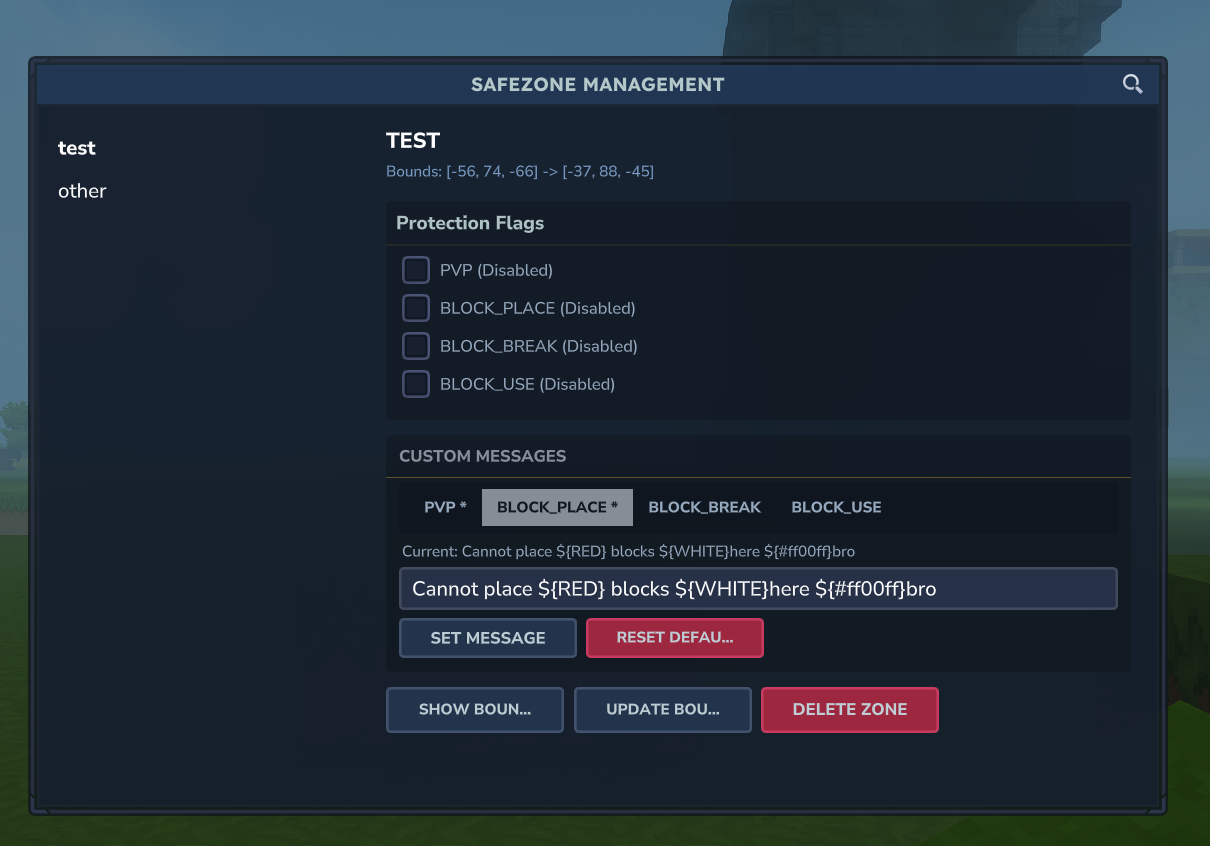
- Management UI: Open
/szfor a full interactive panel—browse zones, toggle flags, edit messages, and manage everything visually. - Flexible Zone Management:
- Create, update, and delete zones via commands.
- Granular Protection Flags: Toggle specific protections:
PVP: Player vs Player combat.BLOCK_PLACE: Block placement.BLOCK_BREAK: Block breaking.BLOCK_USE: Block interactions (chests, doors, etc.).
- Modify zone boundaries easily.
- Custom Player Messages: Set per-zone, per-flag messages with color formatting (
${RED},${#FF5555}, etc.). Players see these when an action is blocked. - Player Feedback: Blocked actions notify the player with a configurable message and a smart 2-second cooldown to prevent spam.
- Visual Debugging:
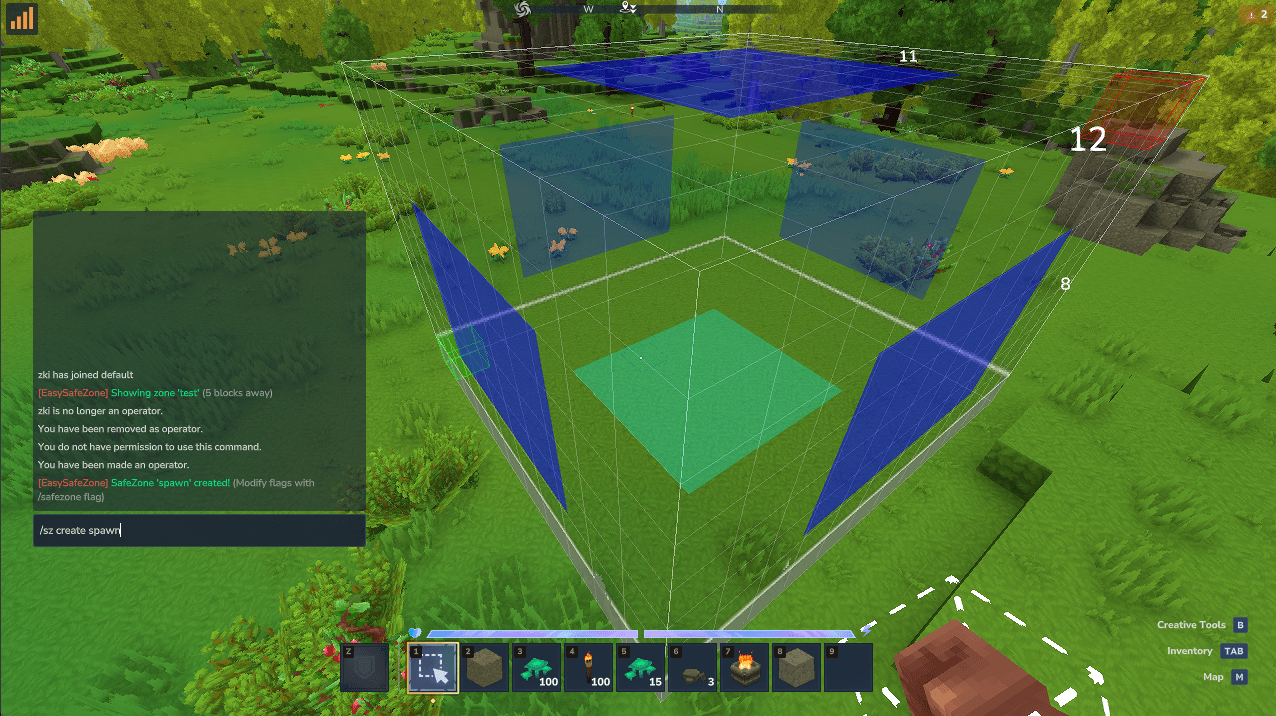
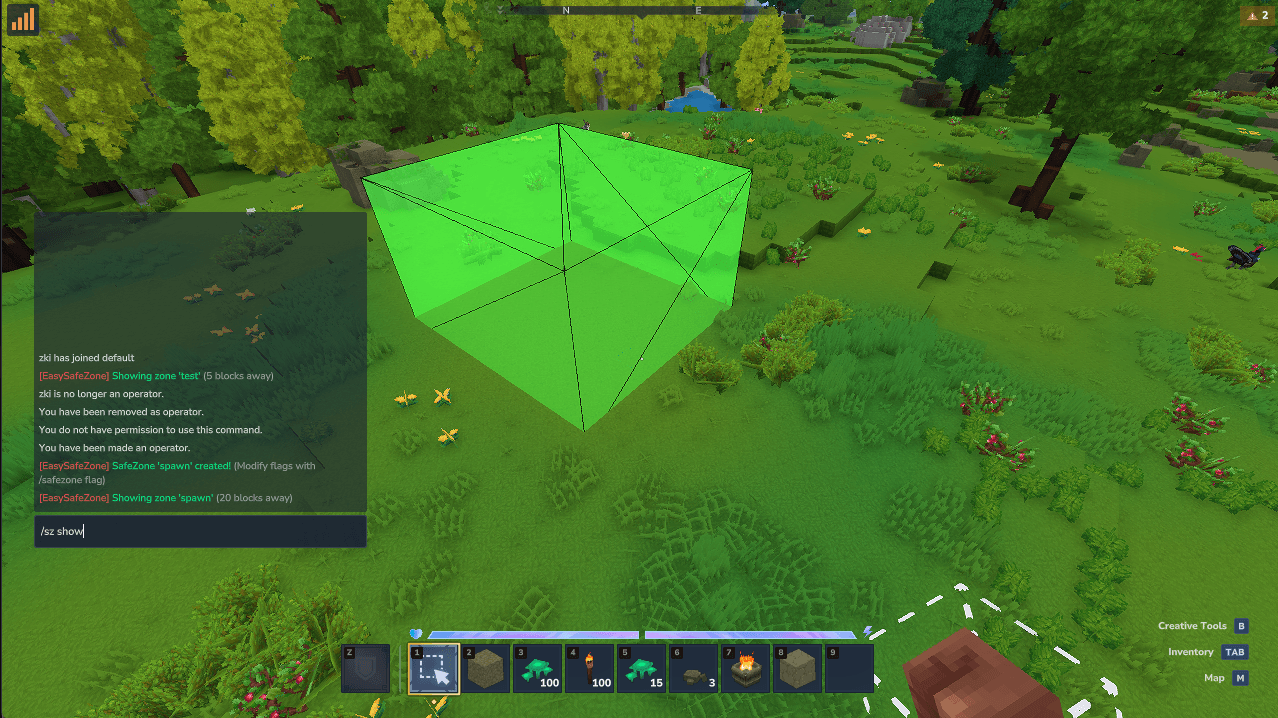
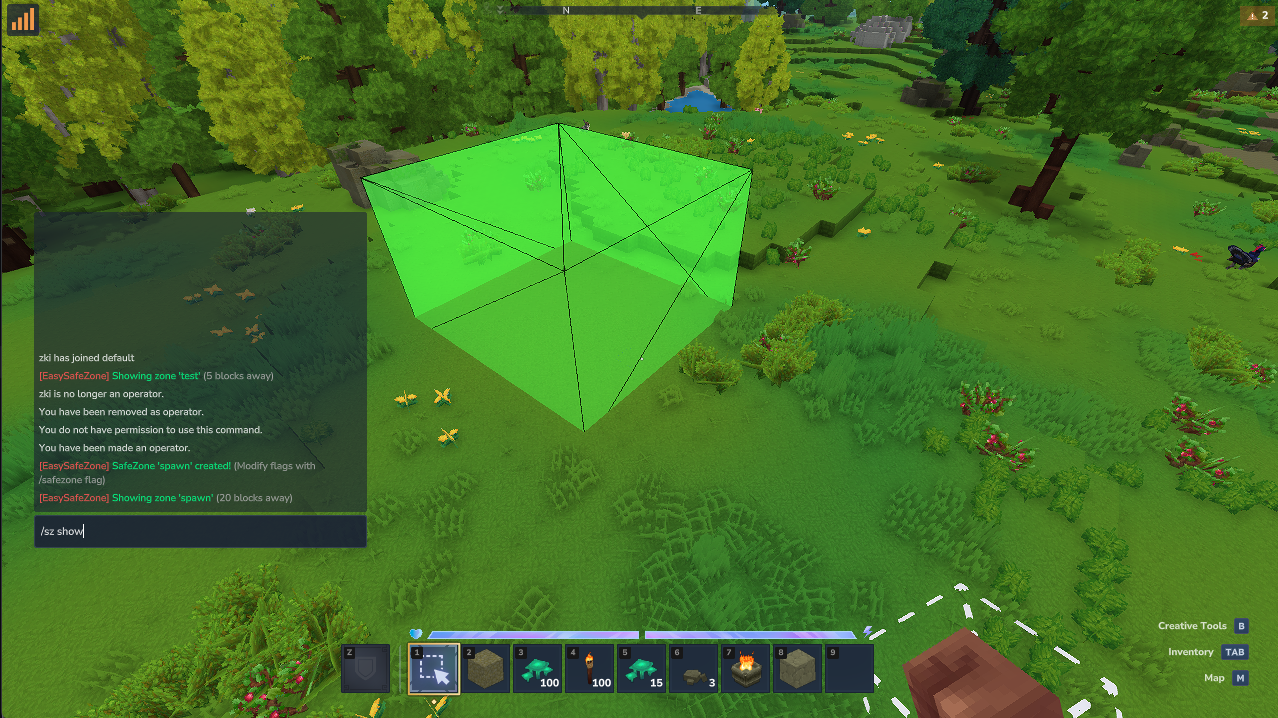
- Visualize zone boundaries in-game with color-coded debug shapes (Green for Safe, Red for PVP).
- Find and view the closest zone to your location.
- High Performance:
- Uses a cached repository layer for fast lookups (zones and custom messages).
- Efficient ECS system integration for damage handling.
- Persistence: Reliable data storage using SQLite.
Technology Stack
- Language: Java 25
- Platform: Hytale Server API
- Build System: Gradle (Kotlin DSL)
- Database: SQLite (
sqlite-jdbc)
Getting Started
Prerequisites
- Java JDK 25 or higher
- A Hytale Server environment (supporting the API version specified in
build.gradle.kts)
Installation
- Clone the repository:
git clone https://github.com/duntale/easy-safezone.git cd easy-safezone - Build the project using Gradle:
./gradlew build - Locate the generated JAR file in
build/libs/EasySafeZone-<version>.jar. - Copy the JAR file to your Hytale server's
modsdirectory (e.g.,$SERVER_DIR/Server/mods/). - Restart your server.
Usage
All commands are prefixed with /safezone and a convinience alias is included /sz, so all the commands can be rewritten as /sz <option> ....
Permissions
To use any of the easy-safezone commands, a player must have the easy-safezone.admin permission. This permission is usually enabled by default for the OP group.
You can grant it explicitly using the following commands:
- To a specific user:
/perm user add <uuid> easy-safezone.admin - To a group:
/perm group add <group> easy-safezone.admin
Bypass Permissions
Admins or privileged players can bypass zone restrictions by using the following permissions:
easy-safezone.bypass.all: Bypass ALL restrictions (Combines all below).easy-safezone.bypass.pvp: Can attack players in Safe Zones.easy-safezone.bypass.place: Can place blocks in protected zones.easy-safezone.bypass.break: Can break blocks in protected zones.easy-safezone.bypass.use: Can interact with blocks (e.g., Use Torches) in protected zones.
Management UI
The easiest way to manage your zones is through the in-game panel:
/sz
This opens a UI where you can browse all zones (with search), toggle flags with checkboxes, edit custom messages per flag, and show/update/delete zones.
Creating a Zone
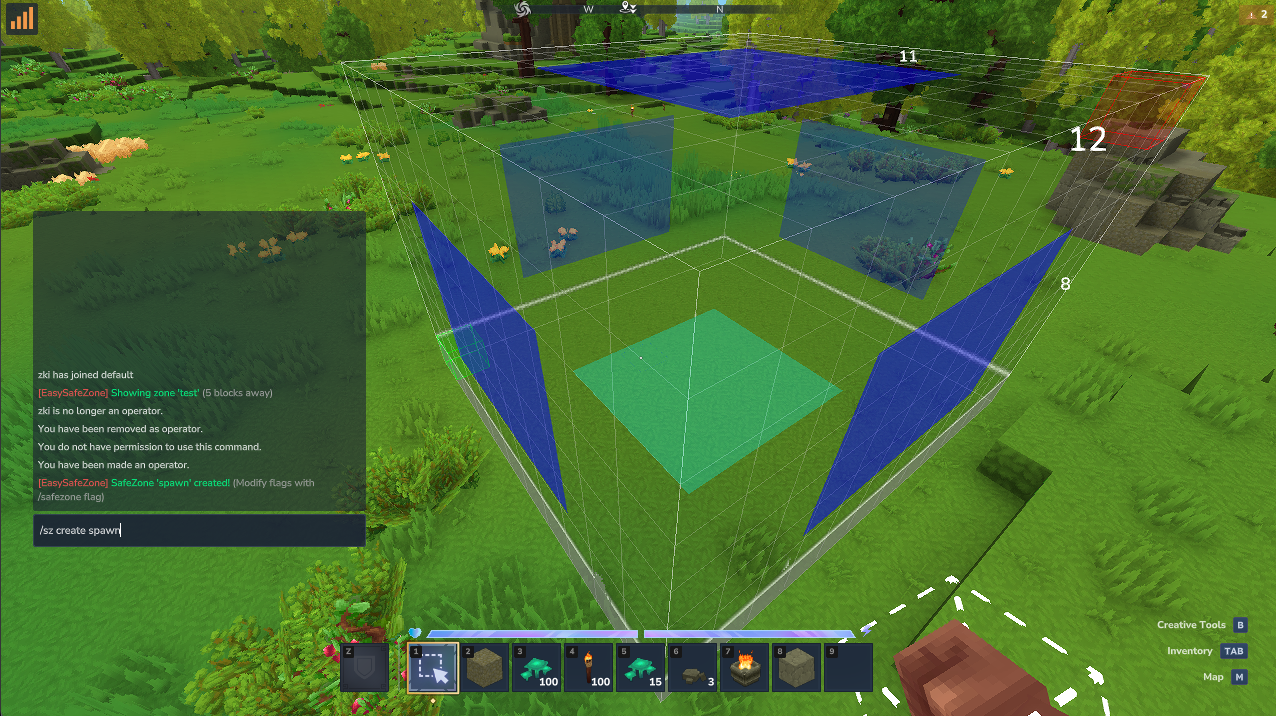
- Use the Hytale Builder Tools to select a region (using the selection tool).
- Run the create command:
/safezone create <name> or /sz create <name>- Example:
/safezone create Spawn(Creates a Safe Zone, all protections enabled)
- Example:
Managing Protection Flags
You can toggle specific protections for each zone.
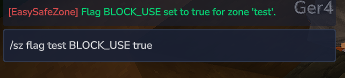
/safezone flag <name> <flag> <true/false>
- Available Flags:
PVP,BLOCK_PLACE,BLOCK_BREAK,BLOCK_USE - Example: Allow players to open chests in Spawn:
/safezone flag Spawn BLOCK_USE true - Example: Allow PVP but prevent block breaking in Arena:
/safezone flag Arena PVP true
/safezone flag Arena BLOCK_BREAK false
Custom Player Messages
Customize the message players see when an action is blocked. Each flag can have its own message per zone, with color support.
-
Set a custom message:
/safezone message set <zone> <flag> <message>- Example:
/sz message set Spawn PVP ${RED}No fighting in the hub!
- Example:
-
Reset to default:
/safezone message reset <zone> <flag> -
View current message:
/safezone message <zone> <flag>
Supported colors: RED, GREEN, BLUE, WHITE, YELLOW, GOLD, ORANGE, PURPLE, PINK, CYAN, GRAY, DARK_RED, DARK_GREEN, DARK_BLUE, DARK_GRAY, LIGHT_GRAY, AQUA, BLACK, MAGENTA, or any hex code like ${#FF5555}.
Managing Zones
-
List Zones: View all zones in the current world.
/safezone list -
Edit a Zone: Loads an existing zone into Selection Tool for modification.
/safezone edit <name> -
Update a Zone: Updates an existing zone with your current selection.
/safezone update <name>- Note: You can update just the boundaries (requires selection). Flags and custom messages are preserved.
-
Delete a Zone: Permanently remove a zone.
/safezone delete <name>

Debugging
- Show Zone: Visualizes the boundaries of a zone.
/safezone show [name]- If no name is provided, it attempts to find and show the closest zone within 100 blocks.
- Green Box: Safe (PVP Disabled)
- Red Box: Unsafe (PVP Enabled)
Project Structure
src/main/java/com/duntale/easysafezone: Source codeEasySafeZonePlugin.java: Main entry point.ZoneService.java: Core business logic (zones, messages, cooldowns).SafeZoneCommand.java: Command handling (create, update, delete, flag, message, show, edit, list).ZoneDamageSystem.java: ECS system for intercepting damage.ZoneBlockProtection.java: ECS systems for intercepting block events.ZoneInteractionPacketHandler.java: Packet handler for block-use filtering.ui/SafeZoneManagementPage.java: Interactive management UI page.ui/Tab.java: Reusable tab codec for UI navigation.util/ColorFormat.java: Color token parser (${RED},${#FF5555}).util/MessageBuilder.java: Fluent message builder with plugin prefix.IZoneRepository.java/SqliteZoneRepository.java/CachedZoneRepository.java: Persistence layer.
src/main/resources: Configuration, manifest, and UI templates.
Development
Building
Run the standard Gradle build task:
./gradlew build
Updating Server Dependencies
If you need to update the Hytale server dependencies:
./gradlew upgradeServer
Troubleshooting
Command Not Found
If the /safezone command is not recognized:
- Ensure the plugin JAR is in the correct
modsfolder. - Check the server logs for any errors during startup.
Permission Denied
If you see a "You do not have permission" message:
- Verify that you have been granted the
easy-safezone.adminpermission. - Check your permissions file or use the
/permcommands listed in the Permissions section above. - Ensure you are in the correct group if the permission is assigned to a group (e.g., OP).
Custom Storage Implementation
You can easily swap the storage backend (e.g., to use JSON files instead of SQLite) by implementing the IZoneRepository interface.
-
Create your Repository Class:
public class JsonZoneRepository implements IZoneRepository { private final Path dataFile; public JsonZoneRepository(Path dataDir) { this.dataFile = dataDir.resolve("zones.json"); } @Override public void initialize() throws Exception { if (!Files.exists(dataFile)) { Files.createFile(dataFile); Files.writeString(dataFile, "[]"); } } @Override public Map<String, List<Zone>> loadAll() throws Exception { // Read JSON file and parse into Map<WorldName, List<Zone>> // Example using Gson/Jackson: // return mapper.readValue(dataFile, new TypeReference<Map<String, List<Zone>>>(){}); return new HashMap<>(); } @Override public void save(Zone zone) throws Exception { // Read, update list, and write back to JSON } // ... implement other methods (delete, findByWorld, etc.) } -
Register in
EasySafeZonePlugin.java:Locate the
setup()method and replace the repository initialization:@Override protected void setup() { // ... // Replace SqliteZoneRepository with your new implementation // IZoneRepository sqliteRepo = new SqliteZoneRepository(getDataDirectory()); IZoneRepository jsonRepo = new JsonZoneRepository(getDataDirectory()); // Wrap with CachedZoneRepository for performance (optional but recommended) IZoneRepository cachedRepo = new CachedZoneRepository(jsonRepo); zoneService = new ZoneService(cachedRepo); // ... }
License
MIT License