 Quality of Life
Chat Customization
A Hytale server plugin that allows players to customize their chat appearance with prefixes, suffixes, nicknames, pronouns, colors, gradients, and more.
Features
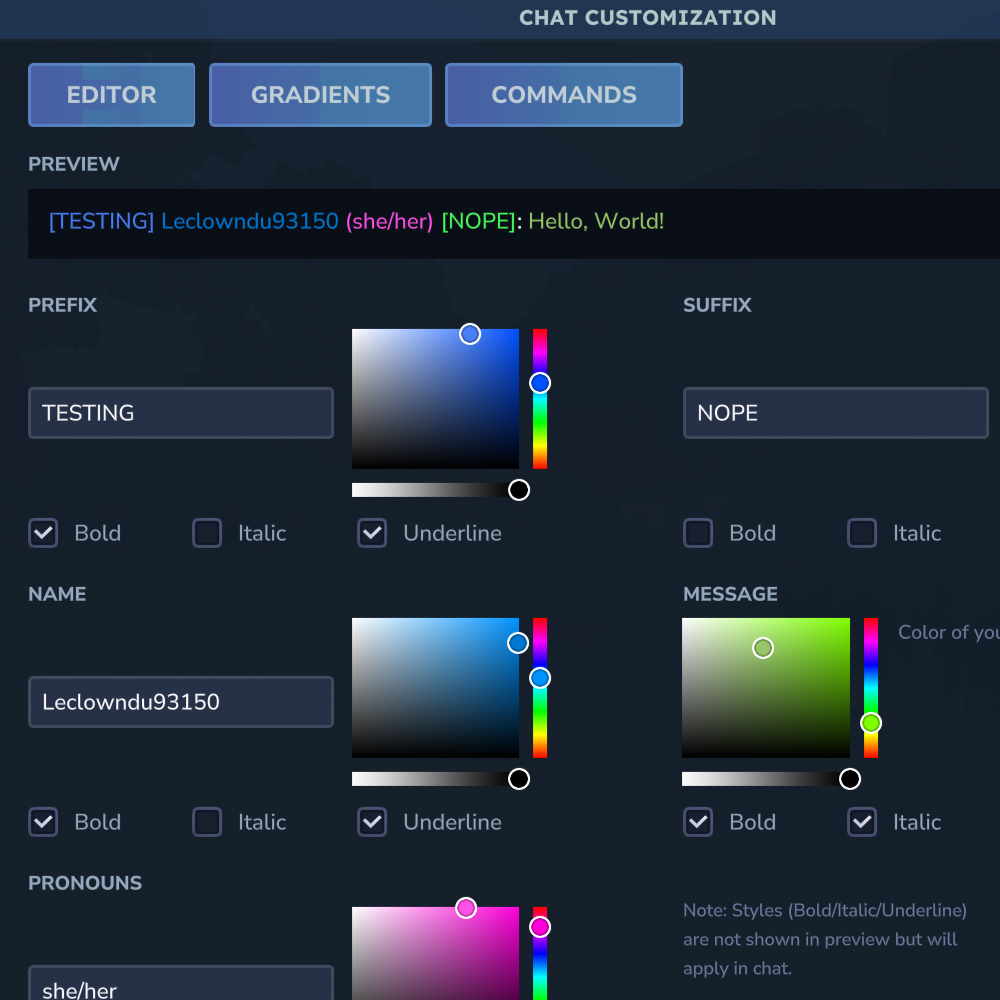
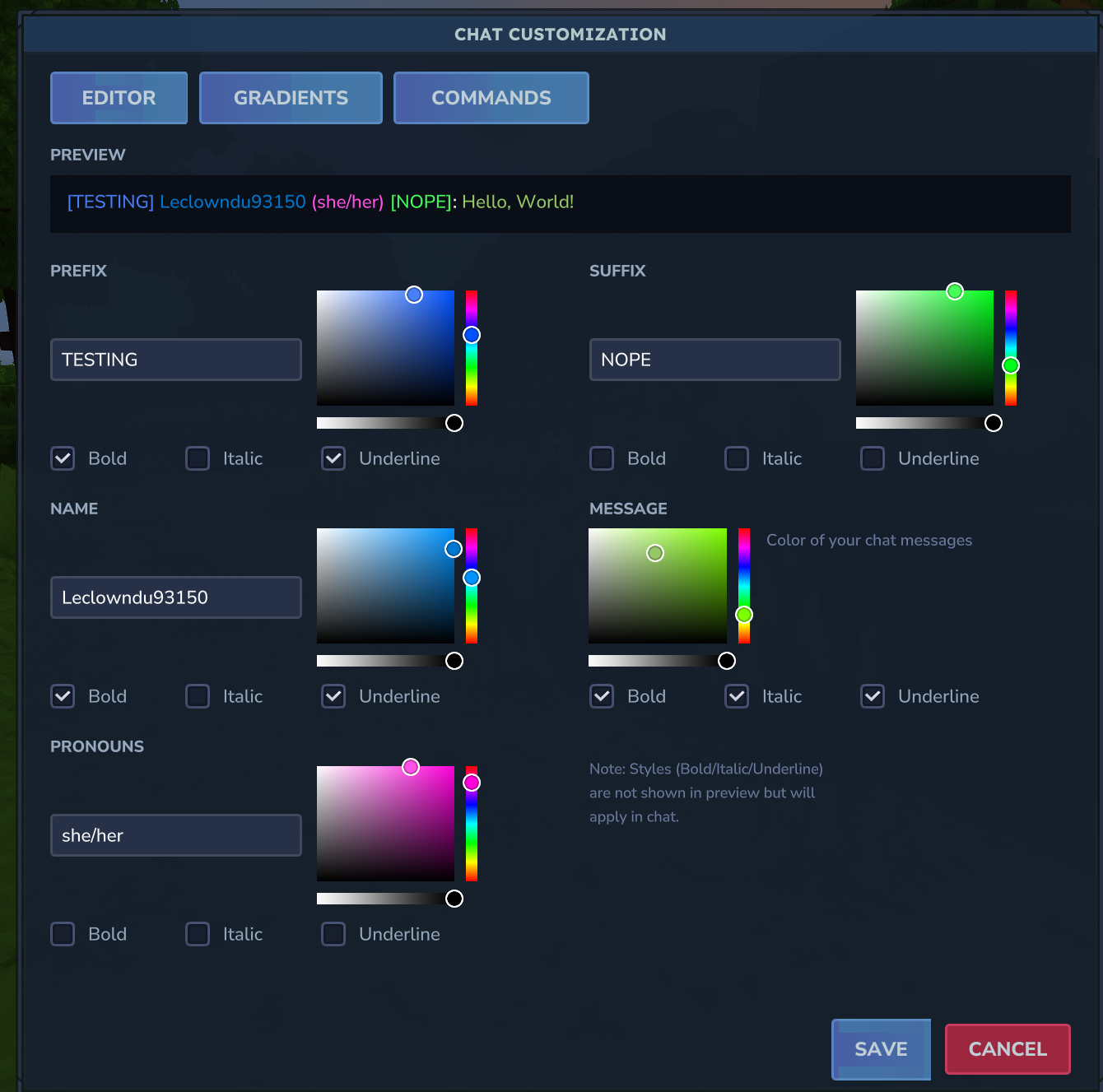
- Visual Editor - Full GUI editor accessible via
/chateditor - Prefix & Suffix - Custom text before and after your name
- Nicknames - Display a custom name in chat
- Pronouns - Show your pronouns next to your name
- Colors - Per-element color customization (prefix, name, pronouns, suffix, message)
- Gradients - Apply color gradients to any element
- Rainbow Text - Animated rainbow effect for any element
- Text Styles - Bold, italic, and underline support
- Mentions - Get notified when someone mentions your name or nickname
- First-Join Welcome - New players are informed about the customization features
Commands
Text Commands
| Command | Description |
|---|---|
/prefix <text> |
Set your chat prefix |
/suffix <text> |
Set your chat suffix |
/nickname <text> |
Set your display name |
/pronouns <text> |
Set your pronouns (e.g. he/him) |
/resetformat |
Reset all formatting to default |
/chatprofile |
View your current chat profile |
/chateditor |
Open the visual editor GUI |
Color & Style Commands
| Command | Description |
|---|---|
/namecolor <color> |
Set name color (#FF0000 or RED) |
/msgcolor <color> |
Set message color |
/prefixcolor <color> |
Set prefix color |
/suffixcolor <color> |
Set suffix color |
/pronounscolor <color> |
Set pronouns color |
/gradient <target> <start> <end> |
Apply gradient (prefix/name/pronouns/suffix/message) |
/rainbow <target> [on|off] |
Toggle rainbow effect |
/style <target> <style> [on|off] |
Toggle bold, italic, or underline |
/colors |
Show all available color names |
Admin Commands
| Command | Description |
|---|---|
/chatadmin view <player> |
View a player's profile |
/chatadmin reset <player> |
Reset a player's profile |
/chatadmin setprefix <player> [value] |
Set/clear a player's prefix |
/chatadmin setsuffix <player> [value] |
Set/clear a player's suffix |
/chatadmin setnickname <player> [value] |
Set/clear a player's nickname |
/chatadmin setpronouns <player> [value] |
Set/clear a player's pronouns |
/chatadmin setnamecolor <player> [value] |
Set/clear a player's name color |
/chatadmin setmsgcolor <player> [value] |
Set/clear a player's message color |
/chatadmin clearrainbow <player> |
Disable rainbow for all elements |
/chatadmin cleargradient <player> |
Clear gradients for all elements |
Configuration
The plugin can be configured via the config file:
maxPrefixLength- Maximum prefix length (default: 16)maxSuffixLength- Maximum suffix length (default: 16)maxNicknameLength- Maximum nickname length (default: 24)maxPronounsLength- Maximum pronouns length (default: 16)defaultNameColor- Default name colordefaultMessageColor- Default message colorallowBold- Allow bold textallowItalic- Allow italic textallowUnderline- Allow underlined textallowGradients- Allow gradient colorsallowRainbow- Allow rainbow effectenableMentions- Enable @mention notificationsmentionSound- Play sound on mentionmentionColor- Color for mention notificationspermissionAdmin- Permission node for admin commands
Installation
- Download the plugin JAR
- Place it in your server's
pluginsfolder - Restart the server
- Configure as needed in the config file
License
MIT License - See LICENSE.md for details