 Miscellaneous
 Utility
Bumenfeld Discord Companion


Bumenfeld Discord Companion by msdigital synchronizes your Hytale server with Discord and keeps the experience bi-directional: players can join via Discord commands, announcements flow from Discord into the game, and the bot keeps communities informed about status, presence, shutdowns, and whitelist status without manual staff intervention.
1. Description & Commands
Core Features
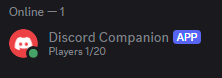
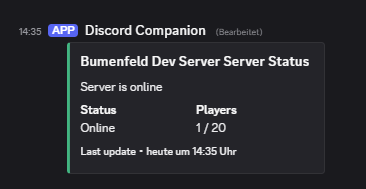
- Discord presence & embed: Keeps an activity presence and a localized embedded message updated with the current online/max player count. The embed is refreshed after the server is fully ready and covers shutdown transitions as well.
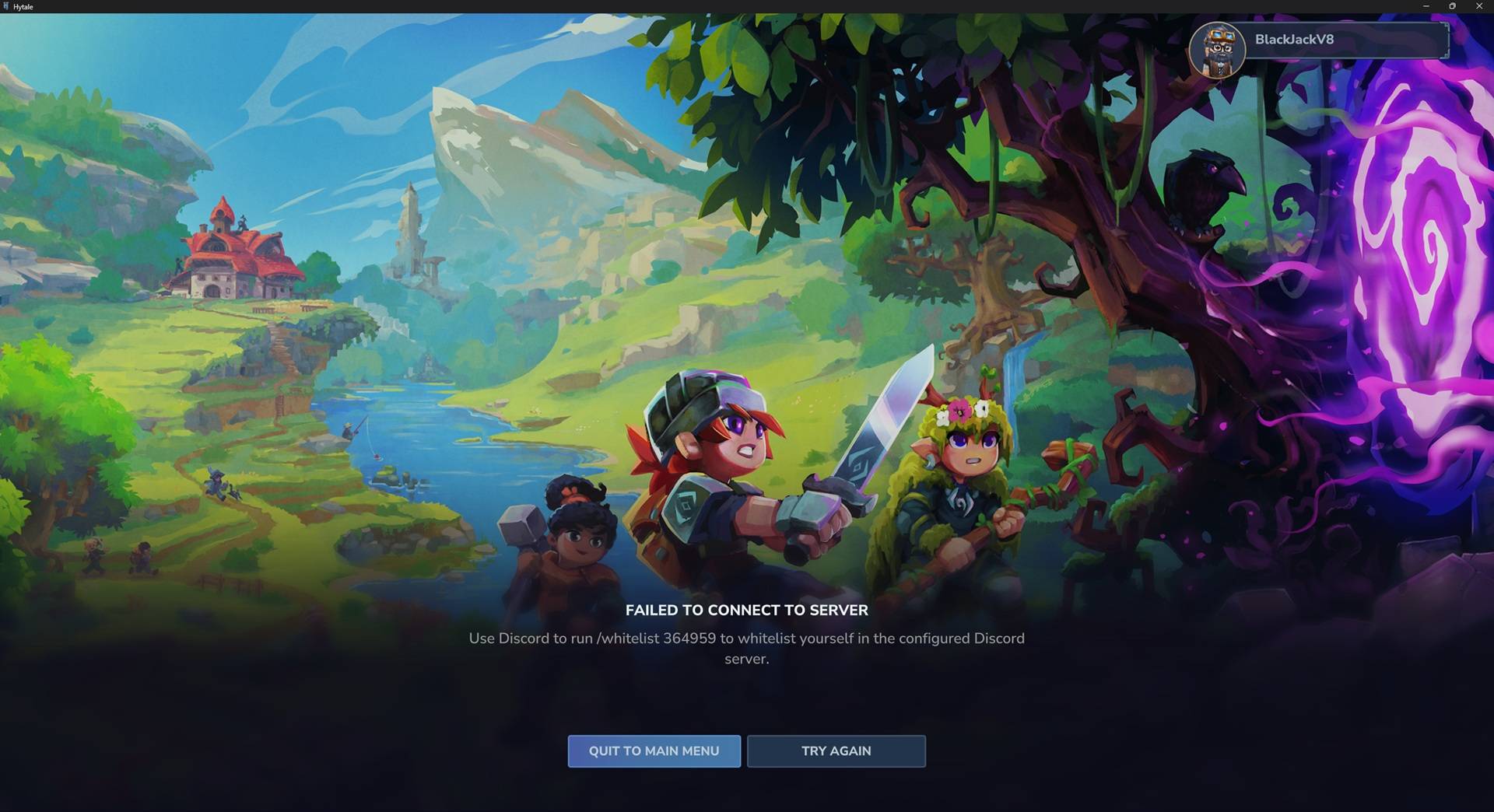
- Discord whitelist flow: Players who lack whitelisting are disconnected early during
PlayerSetupConnectEvent, given a unique/whitelist <code>command to run in Discord, and the plugin persists issued codes in an embedded SQLite database. - Announcements: The
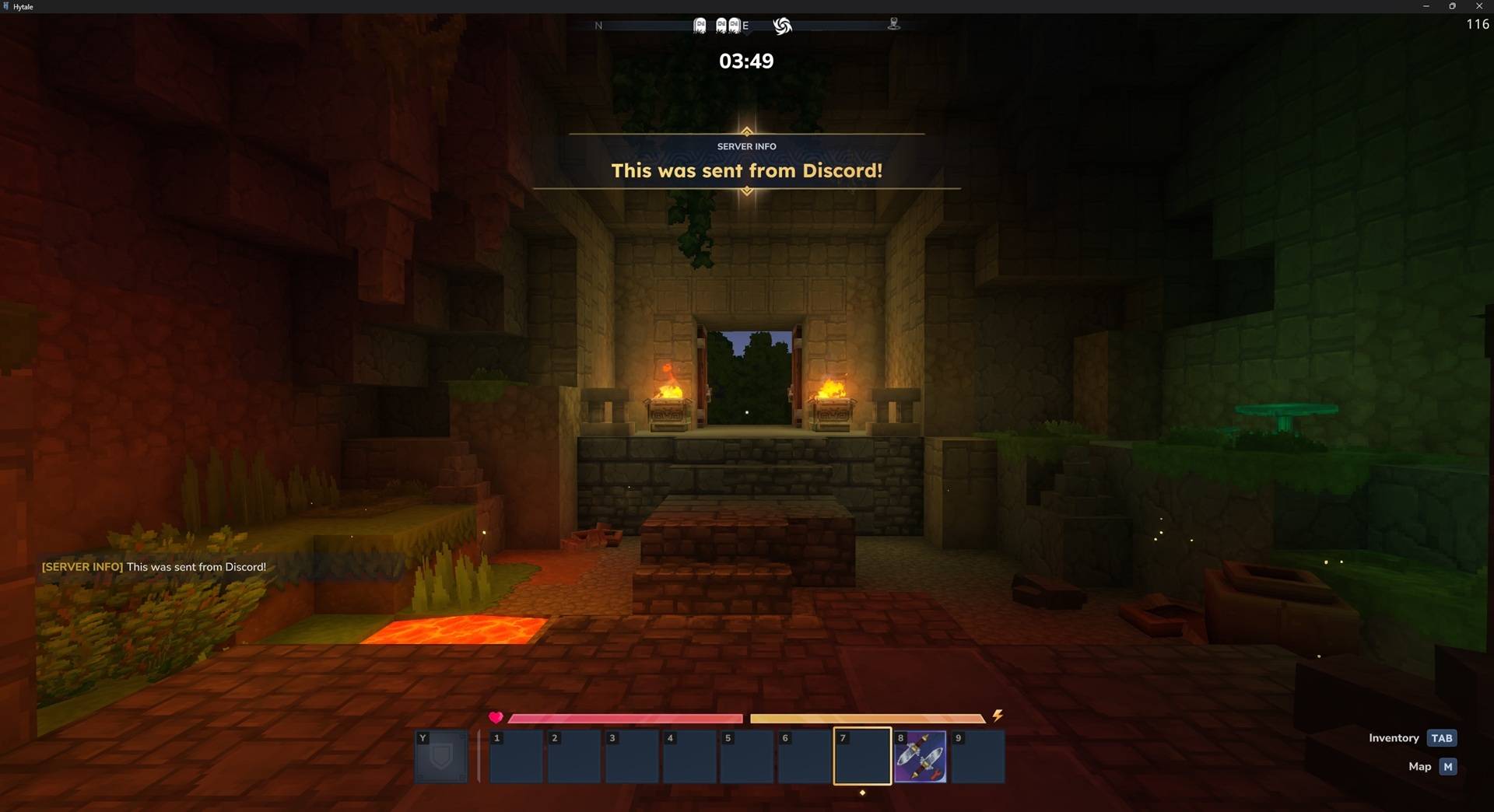
/announcementcommand (visible only to the configuredannouncement-role-id) shows up in Discord and plays theSFX_Memories_Unlock_Localtone plus event title notifications inside the Hytale server, along with a styled chat message so everyone knows the announcement originated from Discord. - Shutdown notice: When the server or plugin shuts down, the embed switches to a localized offline message and the bot cleans itself up gracefully so Discord communities see the server going offline.
Available Commands
/whitelist <code>– Run by players in Discord to validate a crew-provided code and let them connect to the server./announcement <message>– Restricted to the configured role; broadcasts the message as a themed event title (with sound & chat fallback) plus updates the Discord embed (embed updates are throttled to avoid noisy timestamps)./status(if enabled in Discord) – Displays the latest status embed on demand and keeps track of the configured channel once the plugin is up.
2. Installation & Configuration
Server Requirements
- Install Hytale 1.0+ and ensure the matching
HytaleServer.jaris accessible to Gradle via thehytale_homeproperty (this repo already reads it fromgradle.properties). - Run the plugin build with Java 25 (Temurin 25) on your system so the released JAR targets the same runtime the server uses:
./gradlew clean release- The release ZIP sits under
build/release/bumenfeld-discord-companion-<version>.zip. - The plugin JAR (no
-fat) isbuild/libs/bumenfeld-discord-companion-<version>.jarand contains only the dependencies you need.
- The release ZIP sits under
Deploying to Hytale
- Copy the JAR into
/mods/of the Hytale server you wish to bridge. - Start the server once to have the plugin create
mods/com.Bumenfeld_DiscordCompanion/discord.ymland the localization folder. - Edit
discord.ymlwith the configuration described below and restart the server so the settings are reloaded.
Discord Bot Setup
- Visit Discord Developer Portal, create a new application, and add a bot to it.
- Under Bot → Privileged Gateway Intents, enable:
Guild MembersMessage Content
- Copy the bot token and paste it into
discord.yml. - Enable Developer Mode in Discord (
User Settings → Advanced) and copy the IDs for:- Target guild (optional but recommended for instant slash command registration)
- Status channel (
/statusembed output) - Announcement role (only this role sees
/announcement)
- Invite the bot using a URL with
applications.commands,bot, and the required scopes so it can send messages.
Configuration Keys (discord.yml)
token: "<bot token>"
guild-id: "<optional guild ID for command registration>"
status-channel-id: "<channel for presence/embed>"
announcement-role-id: "<role allowed to run /announcement>"
set-presence: true
language: en
enable-status-embed: true
enable-whitelist: true
enable-announcements: true
Refer to discord.yml.example for the full schema. After editing the file, restart the server so the plugin picks up the new values.
3. Localization Contribution
Localization files live in the localization/ folder inside the plugin data directory (mods/com.Bumenfeld_DiscordCompanion/localization/). Each file is a JSON object keyed by locale code (e.g., en.json, de.json). The default values are generated on first run and include:
{
  "language": "en",
  "online-description": "Players {online}/{max}",
  "offline-description": "Server is offline. Please try again later.",
  "presence-format": "Players {online}/{max}"
}
To add a language, drop another {locale}.json file with the same keys and point language in discord.yml to it. Keep translations synced across files so everyone gets consistent statuses, descriptions, and presence text.
4. Development & Contribution
- Clone and build locally:
git clone https://github.com/msdigital/bumenfeld-discord-companion.git ./gradlew clean build - The repository uses Gradle version catalogs (
gradle/libs.versions.toml), Kotlin build scripts, and a release workflow under.github/workflows/that packages the JAR + README + LICENSE into a ZIP. - Make sure to update localization JSON files (commit both
en.jsonand any other locales you change) so translators can follow your edits. - When adjusting Discord commands or bot logic, describe the changes in the PR and ensure the bot still registers slash commands and gracefully handles shutdowns.
Submit contributions via GitHub pull requests and open issues for feature requests or bugs.
5. Credits
- msdigital – Author, maintainer, and architect of the Bumenfeld Discord Companion plugin.
- Hytale team – Provides the server API used by this plugin.
- Discord – The API powering slash commands, embeds, and REST interactions.
Thanks to everyone who tests on real servers and contributes localization updates. Keep the community loop alive!
6. License
Licensed under MSDigital No-Resale License v1.0 (see LICENSE).
Attribution: BlackJackV8 (MSDigital) — Official repo: https://github.com/MSDigital/bumenfeld-discord-companion